DNS
The DNS page is used to view and configure the DNS servers the camera uses.
The DNS page is accessed by selecting: in the Navigation pane.
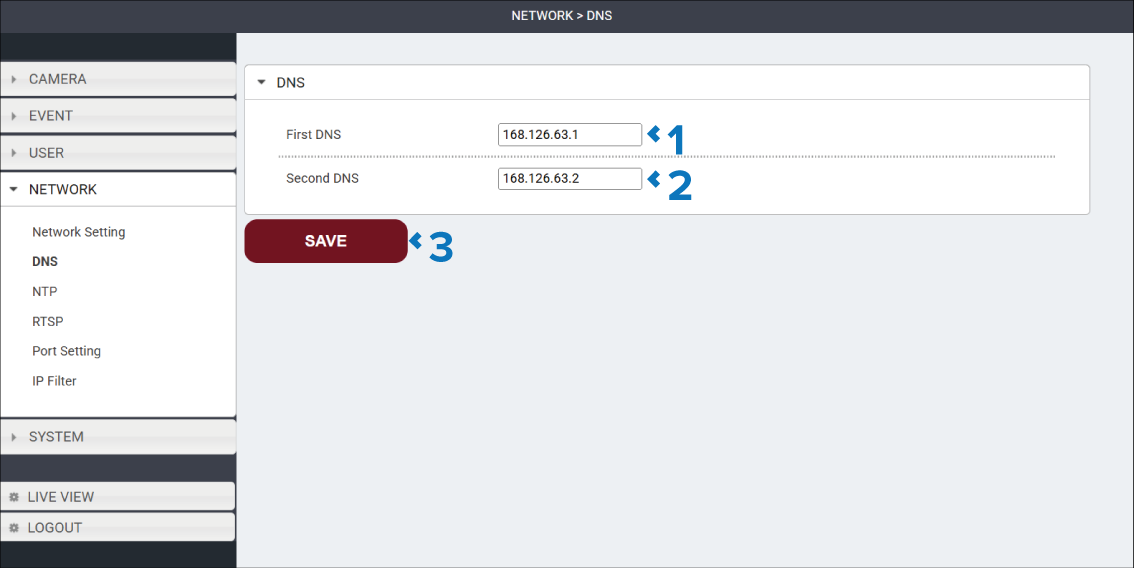
Description |
|
|---|---|
1 |
First DNS field View or modify the primary DNS server the camera will use. |
2 |
Second DNS View or modify the secondary DNS server the camera will use. The Second DNS will be used if the primary server cannot be reached. |
3 |
SAVE button Select the SAVE button to save any changes you have made before leaving the page. |