System Upgrade
The System Upgrade page can be used to check the camera’s current firmware version and perform firmware upgrades.
The System Upgrade page is accessed by selecting: in the Navigation pane.
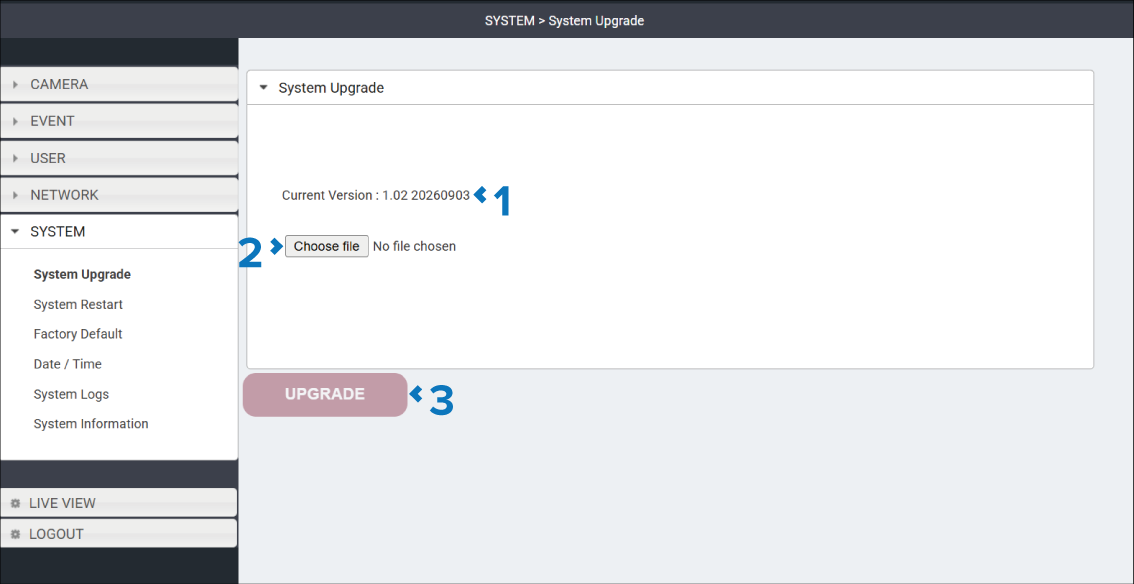
Description |
|
|---|---|
1 |
Current version Identifies the camera’s current firmware version. |
2 |
Choose file button Select the Choose file button to specify a new firmware file to use for the Upgrade. Once select the new firmware version is displayed next to the button. |
3 |
UPGRADE button Select the UPGRADE button to commence the firmware upgrade. |