Camera cable connections
An overview of the camera’s cable connections.
The CAM400 is supplied with a 1.47 m (4.82 ft) fitted cable that includes the following connections:
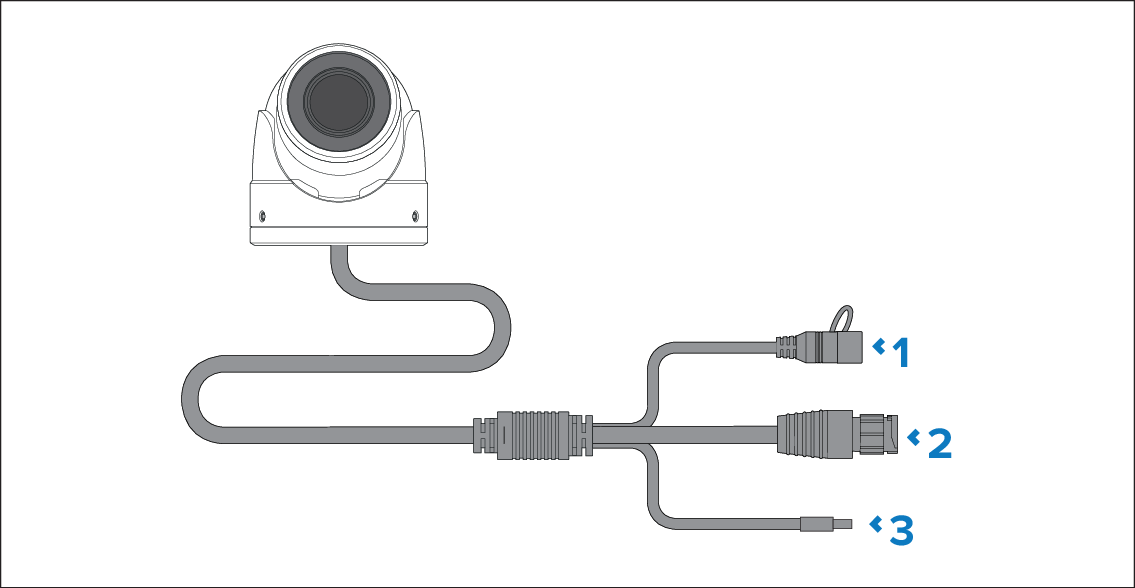
Connection |
|
|---|---|
1 |
Factory reset switch
|
2 |
RayNet (male) connector
|
3 |
12 V dc power cable This connection is used to provide the camera its own dedicated 12 V dc power supply. The power cable is supplied with insulation fitted. Use this connection if you are not powering the camera via PoE. |
For information on individual cable connection lengths, refer to Product dimensions
For more information on suitable cables and connections, refer to: