Finding the camera IP address from the chartplotter
You can find the camera’s IP address from the camera’s product info page on the chartplotter.
To access the camera’s product information from the chartplotter :
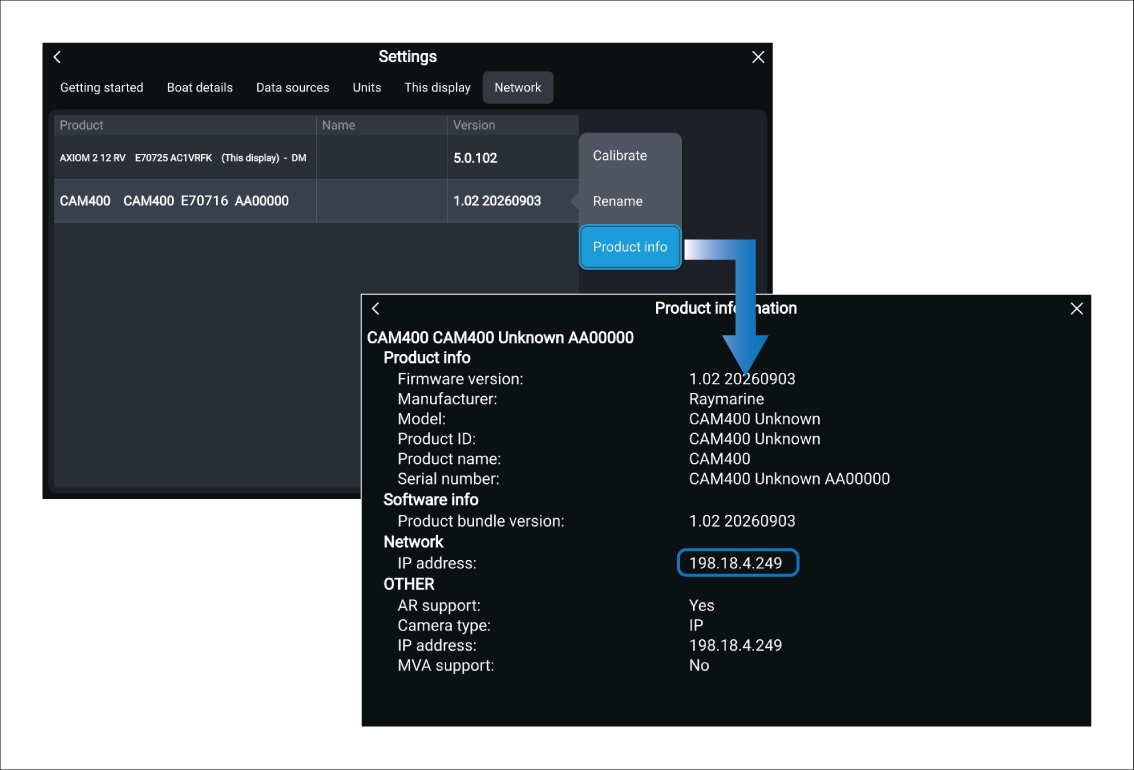
- Navigate to the Network settings menu: .
- Select the camera from the list of network devices.
- Select the Product info option from the pop-over menu.
The Product information page is displayed. The camera’s IP address can be found under the Network details.