Password Change
The password used to log in to the user interface can be changed.
The Password Change page is accessed by selecting: in the Navigation pane.
The Password Change page is used to change the user interface log in password.
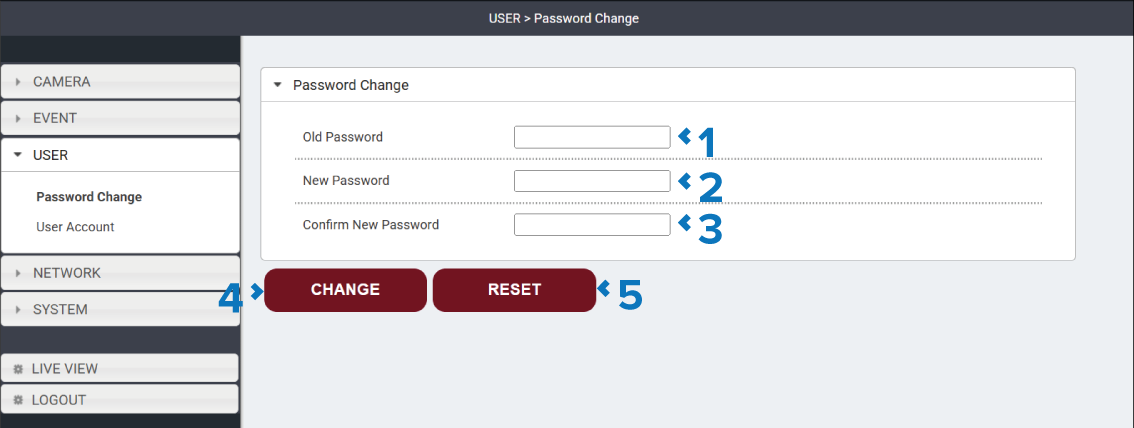
Description |
|
|---|---|
1 |
Old Password field Enter the existing password for the use interface. |
2 |
New Password field Enter the new password for the use interface. |
3 |
Confirm New Password field Enter the new password again to confirm. |
4 |
Change button Select the Change button to save the new password. |
5 |
Reset button Select the Reset button to reset the password to the factory default password, found on the product label. |