User Account
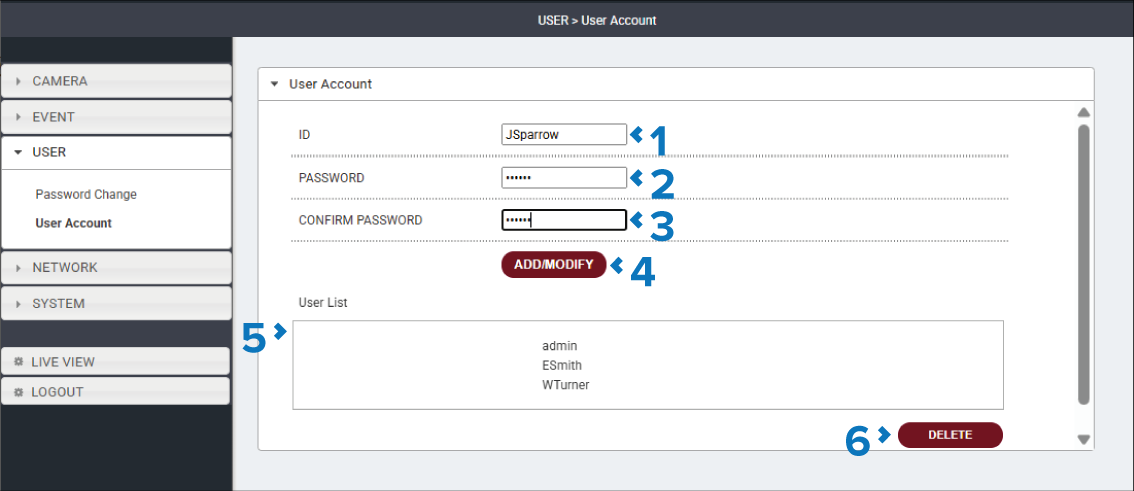
Additional users accounts can be created, each with a unique ID and Password. for accessing the user interface.
The User Account page is accessed by selecting: in the Navigation pane.
Description |
|
|---|---|
1 |
ID field Enter the username ID for the new user. |
2 |
PASSWORD field Enter the password the user will use to log in to the camera’s user interface. |
3 |
CONFIRM PASSWORD field Enter the password again to confirm. |
4 |
ADD/MODIFY button Select the ADD/MODIFY button to add the user account to the User List. |
5 |
User List A list of all users that can currently access the camera’s user interface. |
6 |
DELETE button Select the DELETE button to remove the currently selected user account. Note The admin user cannot be deleted |