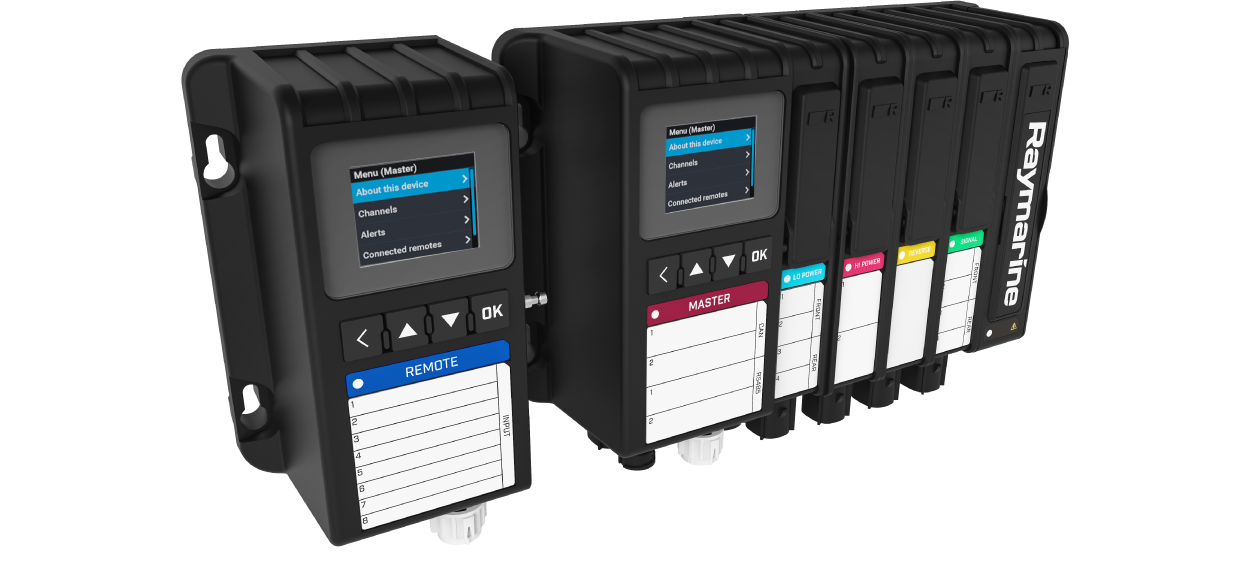
YachtSense DCS Installation and Operation Instructions
Let’s Go!
How to navigate this document
Legal notices
Important information
Safety warnings
Product installation and operation
High voltage
Switch off power supply
Potential ignition source
Digital Control System — Terms of Use
Product warnings
Power supply door
Fuse covers
Service and maintenance
Regulatory notices
Disclaimer
Water ingress
Open source license agreements
Declaration of Conformity
PSTI Compliance
Warranty policy and registration
Product disposal
IMO and SOLAS
Technical accuracy
Publication copyright
Document information
Product documentation
Printed (hardcopy) product manuals
Document illustrations
Document conventions
Software details
Applicable software version
Software upgrades
Check software version
New features
New software features
System hardware configuration
Soft fuse rating
YachtSense DCS-Series app overview
Splitscreen app pages
Product and system overview
Product overview
Available modules
System hardware configuration
Configuration required
Raymarine app configuration required
Maximum current / load
YachtSense ecosystem
YachtSense ecosystem
On-boat features
Off-boat premium features
How to obtain the Raymarine app
How to connect guide
Connecting directly to a chartplotter (MFD)
Display mirroring (view and control)
Transferring LightHouse Charts
Chartplotter file transfer
Connecting to a YachtSense Link router
Geofencing
Geofence
Temporary mooring
Data view and channel control
Viewing NMEA 2000 data
User access management
Boat alerts
Boat systems
Removing a boat system
Removing a router
YachtSense Link router account transfer / ownership transfer
Parts supplied
Master and Remote module parts supplied
Input and output module parts supplied
Required additional items
Product dimensions
Master system and Remote system dimensions
Location requirements
Warnings and cautions
EMC installation guidelines
Potential ignition source
Location requirements
Installation
Tools required
Camlock system
Removing covers and fuses
Assembling Master or Remote systems
Mounting options
Fitting the mounting bracket
Mounting system assemblies using the bracket
Mounting without the bracket
Mounting using the mounting template
Cables and connections — General information
General cabling guidance
Cable types and length
Strain relief
Cable shielding
Positive ground systems
Module connections
Module to module connections
Master module connections
Master module pin out
Remote module connections
Remote pin out
Digital and analog inputs and outputs example connections
High power module connections
Inductive loads
Low power module connections
Inductive loads
Reverse power module connections
Reversible motor inductive loads
Signal module connections
Digital and analog inputs and outputs example connections
Module fuses
Replacing module fuses
Fuse labeling
Spare fuses
Fuse by-pass
Fuse covers
Removing covers and fuses
Power supply connections
Connecting the power supply
Power supply door
Power supply protection
Thermal breaker / inline fuse rating
Power cable requirements
Power distribution
Positive ground systems
Network connections
SeaTalk NG connection
Connecting SeaTalk NG cables
SeaTalk NG power supply
Inline fuse and thermal breaker ratings
12 Volt dc only
SeaTalk NG power cables
SeaTalk NG product loading
SeaTalk NG power connection point
SeaTalk NG system loading
Power distribution — SeaTalk NG
12 Volt dc only
Product grounding
Positive ground systems
Power connection via Autopilot Control Unit (ACU-Series)
RayNet network connection
Connecting cables
Molex® connector connections
Molex® connectors
Molex® connector types and keying
Removing connectors from modules
Removing seal plugs
Inserting seal plugs
Wiring the connectors
Connecting Molex® connectors to modules
YachtSense DCS-Series app
YachtSense DCS-Series app overview
YachtSense DCS-Series app menu
Splitscreen app pages
Operations
Controls
Sleep mode
Default page
Menu
Setting Remote module ID number
Channels pages
Options menu
Manual override
Soft fuse rating
Tripped fuses (soft)
Alerts
Limp home mode
Troubleshooting
Troubleshooting
LED diagnostics
YachtSense DCS-Series Digital Control System troubleshooting
Performing a factory reset
Deleting configuration
Maintenance
Service and maintenance
High voltage
Routine equipment checks
Product cleaning
Technical support
Raymarine technical support and servicing
Learning resources
Technical specification
System technical specification
System power specification
Environmental specification
Master module technical specification
LCD technical specification
Remote module technical specification
LCD technical specification
Power supply module technical specification
High power module technical specification
Low power module technical specification
Signal module technical specification
Reverse power module technical specification
Spares and accessories
YachtSense DCS-Series Digital Control System spares
YachtSense DCS-Series Digital Control System accessories
RayNet to RayNet cables and connectors
SeaTalk NG cables and accessories
NMEA 2000 PGN support
Best Practices - Overview
Human factors in system design
Introduction to touchscreen multifunction displays (MFDs)
Best practice: consider chartplotter (MFD) environmental conditions
Best practice: consider chartplotter (MFD) context
Best practice: consider user capabilities for MFDs
Best practice: when to provide physical switches
Best practice: use switch-guards for critical circuits
Best practice: use of latched and unlatched switches
Software release history
Ethernet (IPv4) networking of Raymarine devices with third-party products
Document change history