YachtSense DCS-Series app overview
Control and monitoring of YachtSense DCS-Series Digital Control Systems is achieved using the YachtSense DCS-Series app.
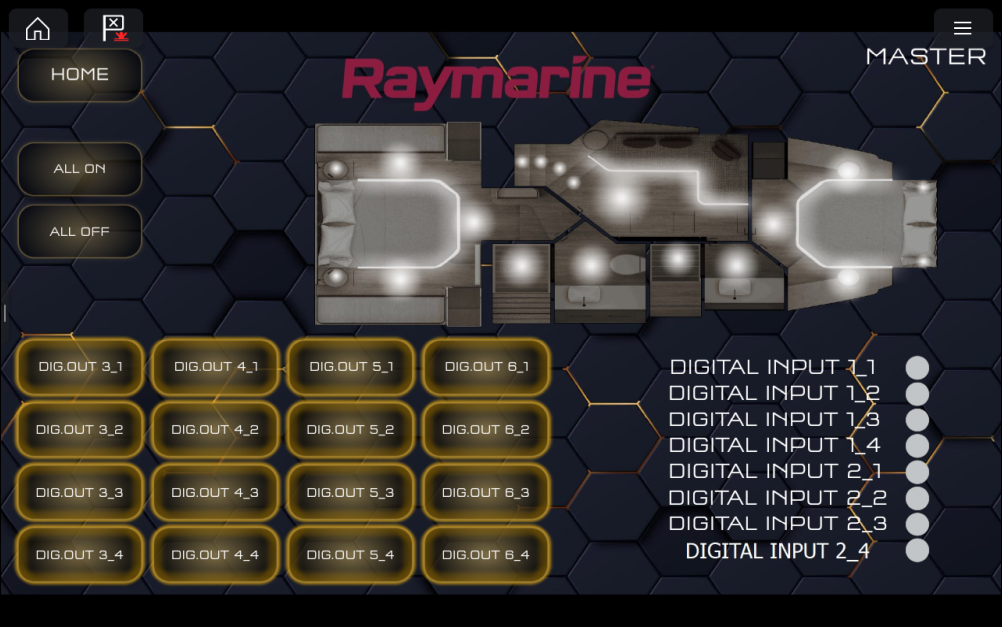
Figure 1. Example YachtSense DCS-Series app page
YachtSense appThe YachtSense app is available on Axiom-Series and Axiom 2-Series chartplotters (MFDs) when a YachtSense DCS-Series Digital Control System is detected on the Ethernet network. If the system is not detected then a “not detected” message will be displayed when the app is opened.
The YachtSense DCS-Series app will typically be added to the Homescreen during configuration. Additional app pages with different layouts can be added in the same way as any other Homescreen app page.
The pages available in the YachtSense DCS-Series app are bespoke for each individual installation / configuration.
The pages will include navigation buttons so that all pages can be viewed.
Tripped channels can be viewed from the app menu: .
Data overlays can be added to the app from the Settings menu: .