Connecting Molex® connectors to modules
Follow the steps below to connect Molex® connectors to modules.
Note
ConnectionsMolexMolexInserting connectorsIf your connector does not include the Red locking tag (known as the CPA (Connector Position Assurance) then ignore step 2.
The illustration below depicts the Master module connector, however the procedure is the same for any of the connectors used with YachtSense DCS-Series Digital Control System.
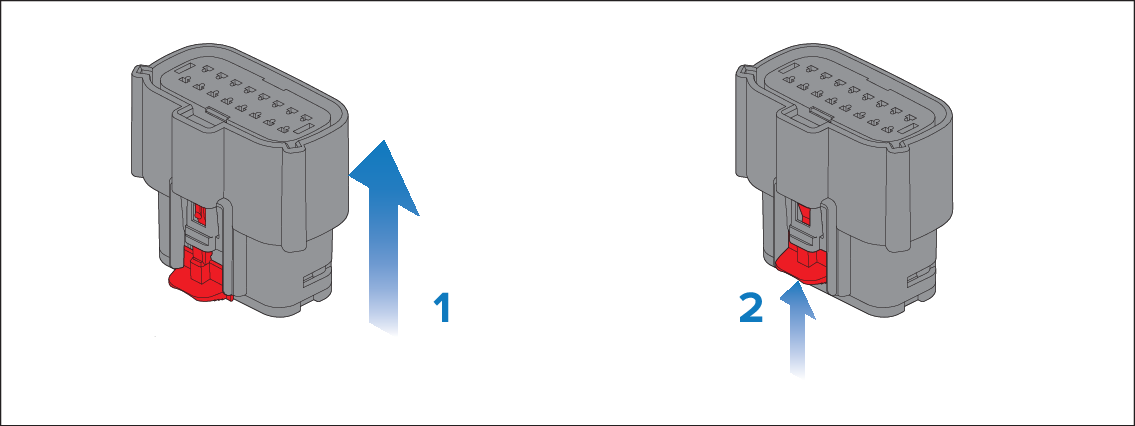
- Ensuring correct orientation push the connector straight up into the relevant connection on the bottom of the module.
- Push the Red locking tag up into the locked position.