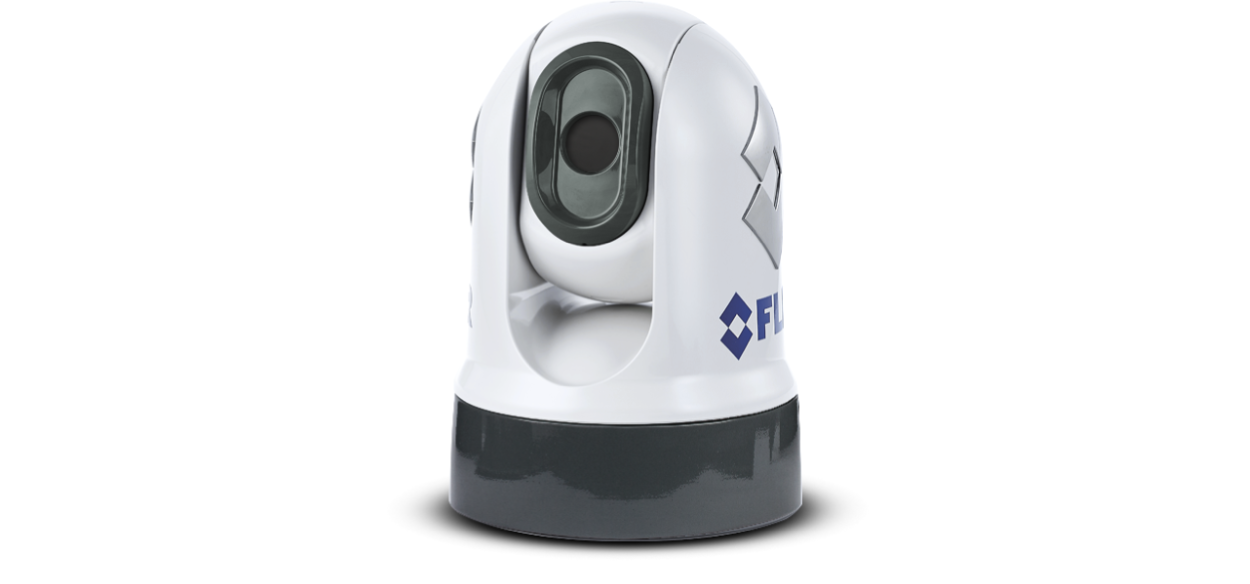
M100 / M200 Series Thermal Camera
Let’s Go!
How to navigate this document
Legal notices (FLIR)
Patents notice
Export control
Important information
Safety warnings
Product installation and operation
Weather conditions
Use a safe system of work
Working aloft
Potential ignition source
Switch off power supply
Entrapment hazard
Ensure safe navigation
Maintain a permanent watch
Product warnings
Product grounding
Positive ground systems
Ensure all equipment has isolated power supply
Power supply voltage
PoE isolation coupler
Corrosion
Product painting or coating
Power supply protection
Service and maintenance
Regulatory notices
Cleaning the camera
Routine camera inspections
Water ingress
Disclaimer
EMC installation guidelines
Connections to other equipment
Declaration of Conformity
PSTI Compliance
Product disposal
Warranty policy and registration
IMO and SOLAS
Technical accuracy
Publication copyright
Document information
Applicable products
Additional system components
MFD / chartplotter software version
Product documentation
Applicable software version
Product and system overview
Product overview
Control options
Display options
Compatible Joystick Control Units (JCUs)
Compatible MFDs / chartplotters
Parts supplied
Parts supplied
Inline fuse requirement
Inline fuse and thermal breaker ratings
Product dimensions
M100 / M200-Series
M100 / M200-Series with optional top-down riser
Location requirements
Warnings and cautions
Potential ignition source
General location requirements
Camera location requirements
EMC installation guidelines
Compass safe distance
Mounting preparation
Tools required
Camera orientation
Ball-down (upside down) mounting: rotating the front cover
Routing cables through the riser's sidewall
Mounting
Camera mounting
Inserting the studs into the camera base
Replacement threaded studs
Mounting the camera ball-up
Mounting the camera ball-down
Connections overview
Connections overview
Video connections
Connecting cables
Orientation of right-angled connectors
General cabling guidance
Cable types and length
Cable routing and bend radius
Strain relief
Circuit isolation
Cable shielding
Network connections
Network connections
Power over Ethernet (PoE)
PoE isolation coupler
Network cable connector types
Compatible MFDs / chartplotters
Network connection examples
Camera system with direct connection to a Web browser
Camera system with a Web browser and an optional JCU
Camera system with a compatible MFD / chartplotter and JCU
Single-camera system with analog video monitor and JCU
Multi-camera system with a video monitor, 2 compatible MFDs / chartplotters, 2 JCUs, and a web browser
Power connections
Power connection
Inline fuse and thermal breaker ratings
Power distribution
Power cable extension (12 / 24 V systems)
Power cable drain wire connection
Positive ground systems
IP address discovery
Camera IP address discovery
How to find an IP address
Setting a static IP address
Accessing the camera’s web interface page
Camera configuration and operation
Camera control
Camera control options
Pan, tilt and zoom (PTZ)
Home position
Surveillance mode
Thermal camera image
Thermal camera status icons
Image adjustments
Thermal camera scene presets
Thermal camera color modes
Thermal camera reverse polarity
Web browser interface
Logging in to the Web browser user interface
Live Video page
Control icons
Ball-down (upside down) mode
Maintenance
Service and maintenance
Routine camera inspections
Cleaning the camera
System checks and troubleshooting
Troubleshooting
Camera not shown in your PC / laptop / tablet’s device list
Video not displayed
Cannot control camera from MFD / chartplotter
Erratic or unresponsive controls
Camera image is inverted
Camera image too dark or too light
Product alerts
FLIR Maritime technical support and servicing
Technical specification
Physical specification
Power specification
Network specification
Environmental specification
Video specification
Conformance specification
Spares and accessories
M100 / M200 Series camera accessories
FLIR networking accessories
RayNet to RayNet cables and connectors
RayNet to RJ45, and RJ45 (SeaTalk HS) adapter cables
Software release history