Engine page
The engine page is designed to provide data received from supported engine system(s). When Combustion has been selected as the Propulsion system during the chartplotter’s initial start up wizard the engine page will be included as a default page.
Data appEngine pageThe engine page can display data for up to 5 engines. The number of engines displayed on the default engine page is based on the number of engines selected during the chartplotter’s initial start up wizard.
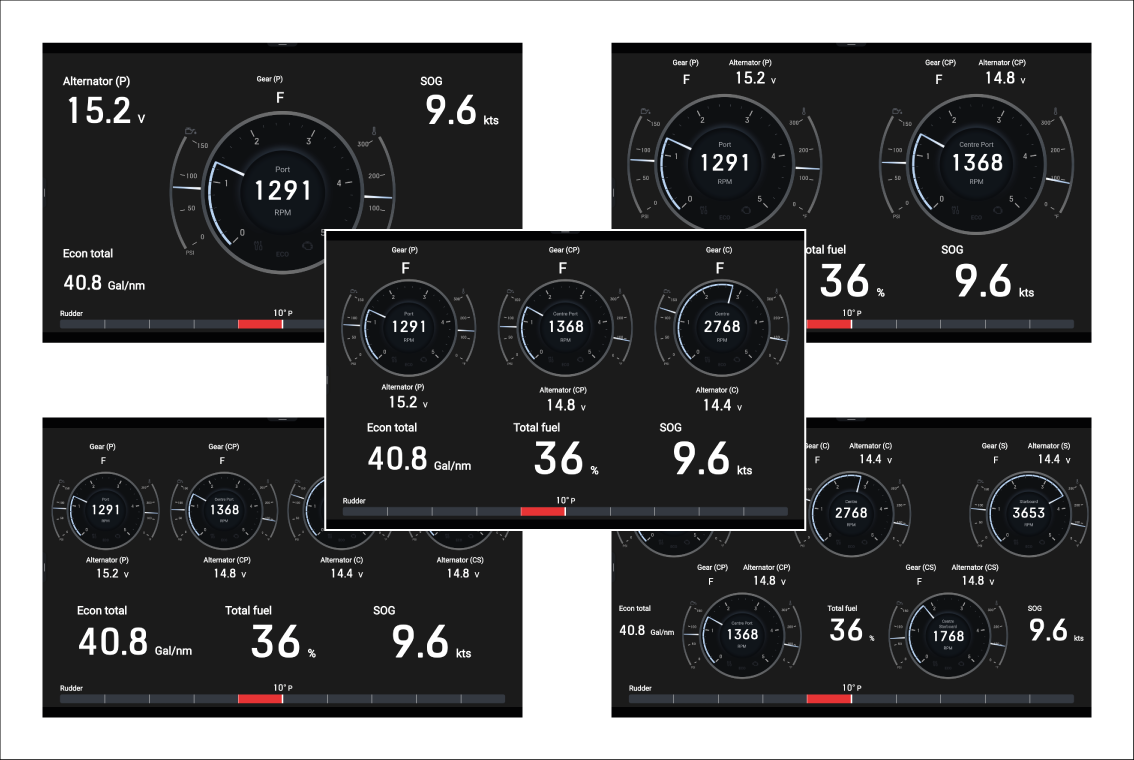
If more than 1 engine is selected during the initial startup wizard you can subsequently add new engine pages that contain up to the number of engines that was specified (e.g.: if you chose 5 engines you can add new engine pages for 1, 2, 3, 4, or 5 engines).
You may have to edit any new engine page’s data items and engine gauge to ensure it reflects your desired engine.
Engine page overview
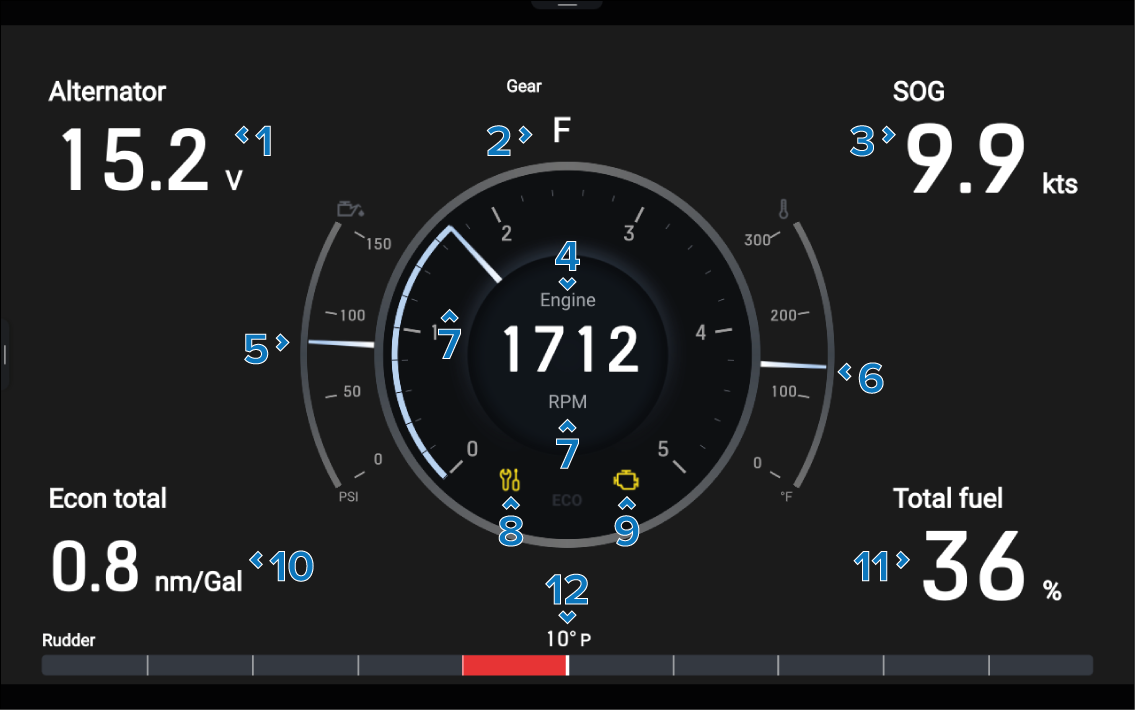
The engine page includes the following:
Description |
|
|---|---|
1 |
Alternator — Voltage at the alternator |
2 |
Gear — Transmission gear |
3 |
SOG — Speed Over Ground |
4 |
Engine designation (For example: “engine” = 1 engine, or “port”, “starboard”, “center” etc.) |
5 |
Oil pressure — Engine oil pressure |
6 |
Coolant temperature — Current engine coolant temperature indication |
7 |
RPM |
8 |
Maintenance indicator — Illuminates when engine maintenance is required |
9 |
Check engine — Illuminates when an engine fault is detected |
10 |
Economy total — Total economy of engine(s) |
11 |
Total fuel — Total fuel remaining |
12 |
Rudder indicator bar — Indicates rudder position |
For instructions on creating an engine page, refer to: Creating an engine page