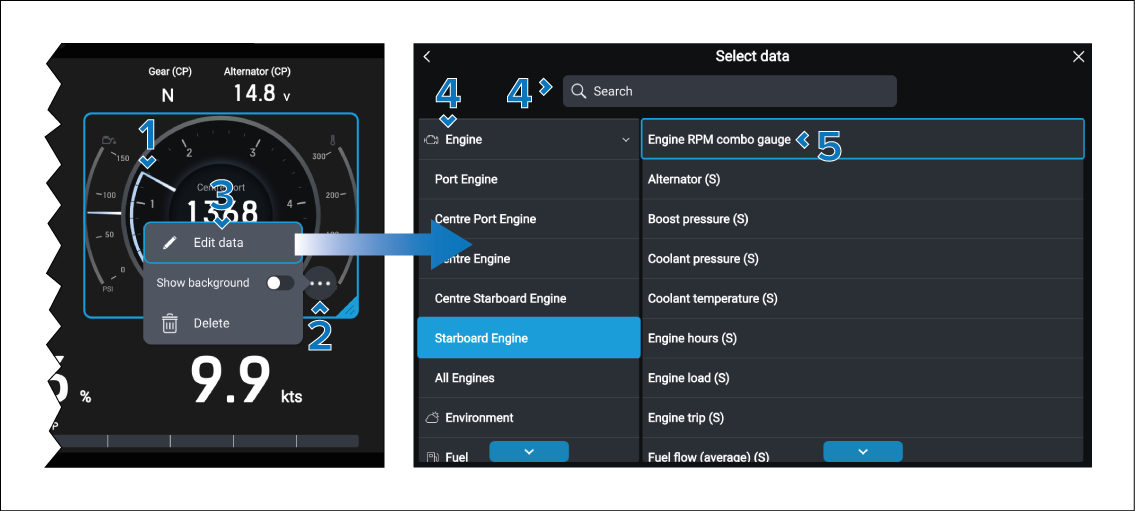
Changing the engine on an engine page
You can change which engine’s data is being displayed on an engine page.
Data appChanging enginesEngine pages include 3 items that are engine specific:
Engine RPM combo gauge
Gear
Alternator
These items will need to be changed.
Note
The items will include an engine designation in the data item title (e.g.: S = Starboard, CS = Center Starboard, etc.) Ensure that all changed engine data items have the same designator.
Follow the steps below to change which engine’s data is being displayed: