Creating an engine page
By default, the chartplotter includes an engine page configured for the number of engines specified during the initial start up wizard. Additional engine pages can be added if desired.
Data appEngine pageFollow the steps below to add an additional engine page.
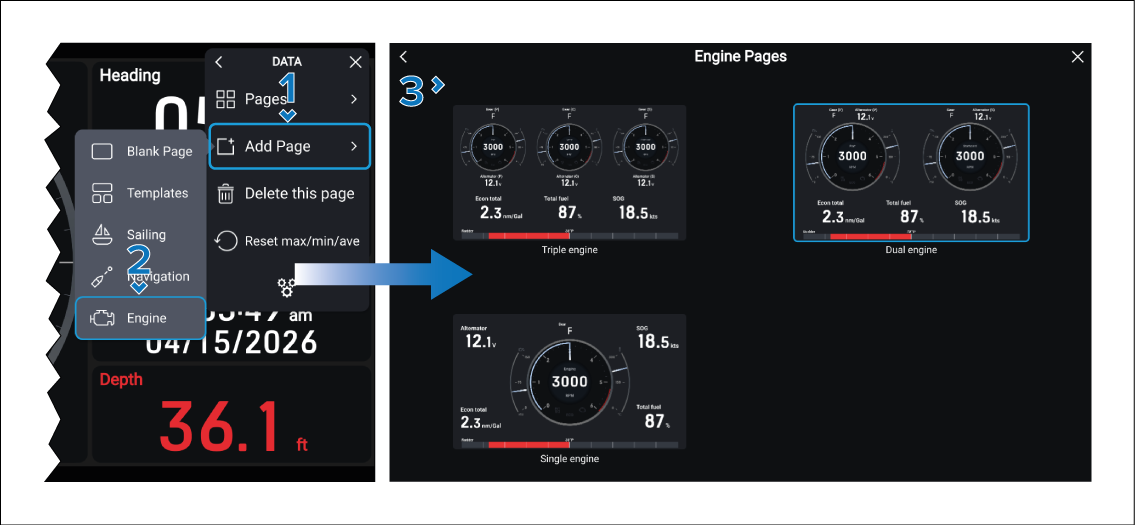
Your new engine page will be displayed.
Note
If you selected a page that supports fewer engines than are configured on your chartplotter, you may need to specify which engine data is displayed. For example, on a vessel with four engines, you could configure two dual‑engine pages—one displaying the port engines and the other displaying the starboard engines.
For instructions on changing the engine on an engine page refer to: Changing the engine on an engine page