Creating a data item group
The Level Group data widget can be used to group data items with more than 1 instance together in a single data cell.
Data appLevel groupTo create a Level group follow the steps below:
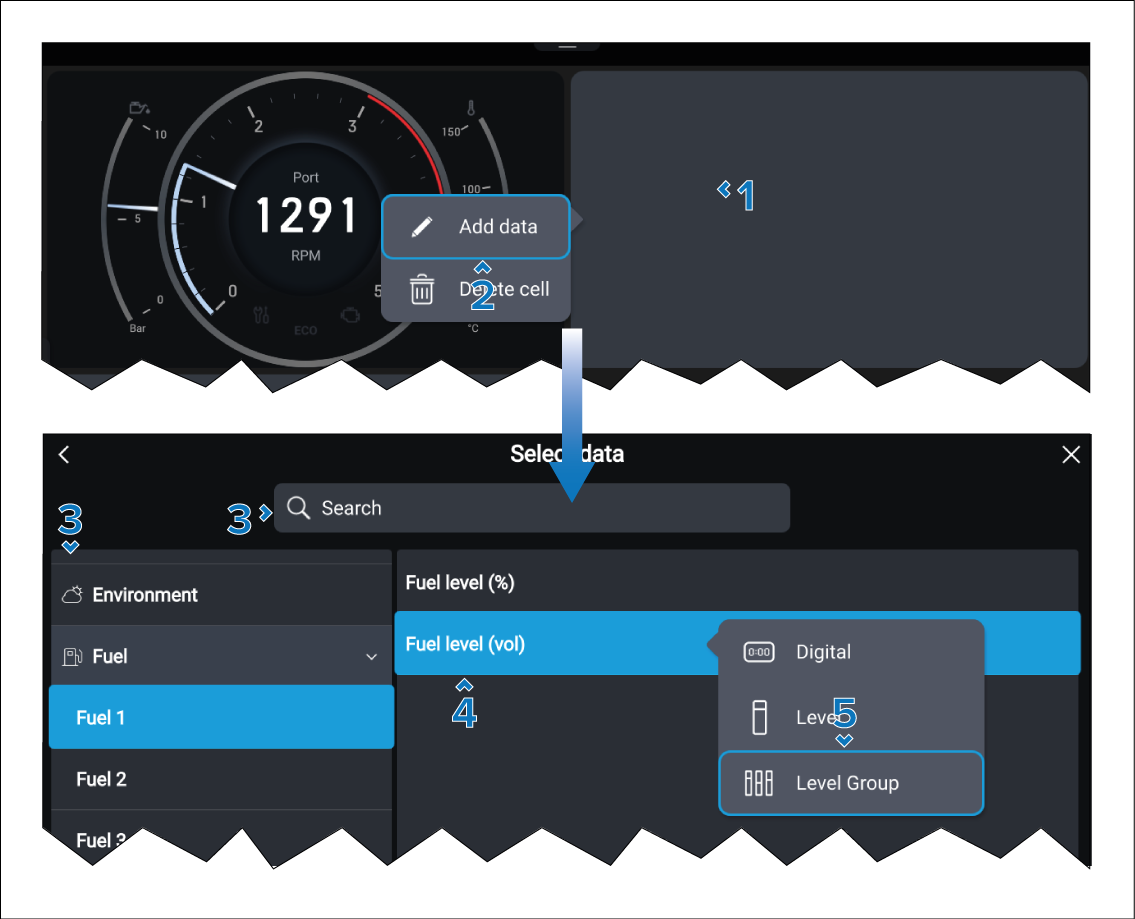
- Select the Level Group widget type.
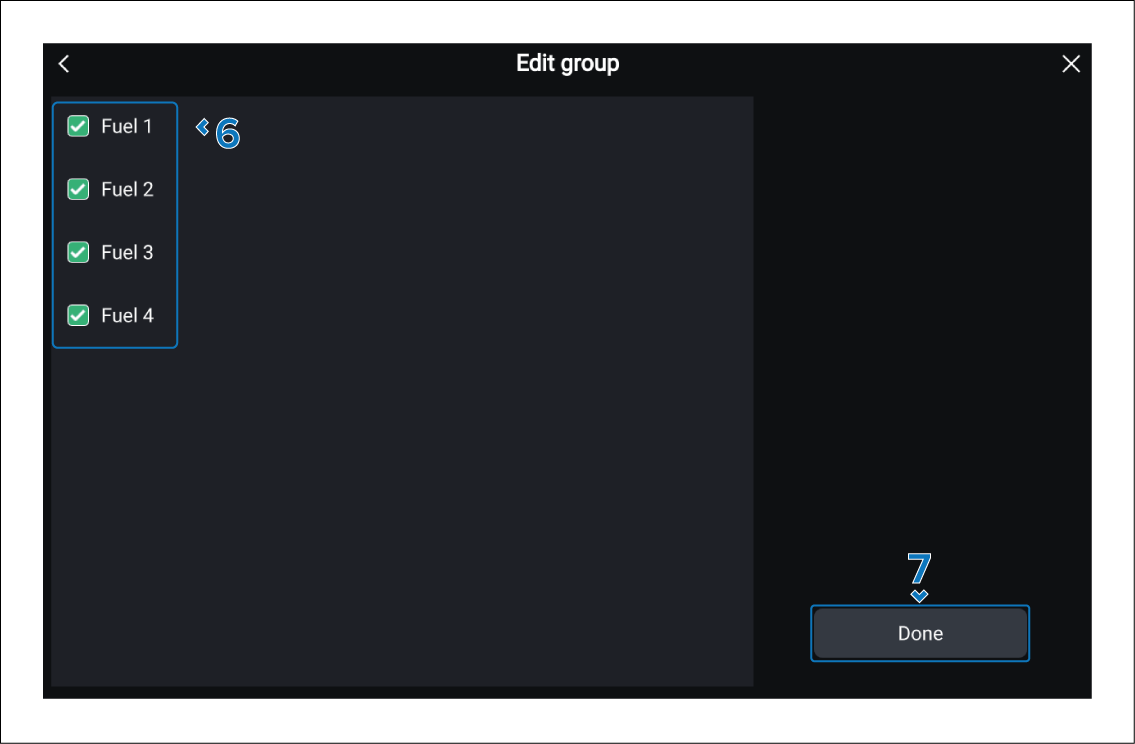
The new Level group will be displayed and can be resized, or customized further from the pop-over menu.