Grouping an existing data item

A Level group can be created from a Level data item that has multiple instances.

Data appLevel groupTo create a Level group follow the steps below:
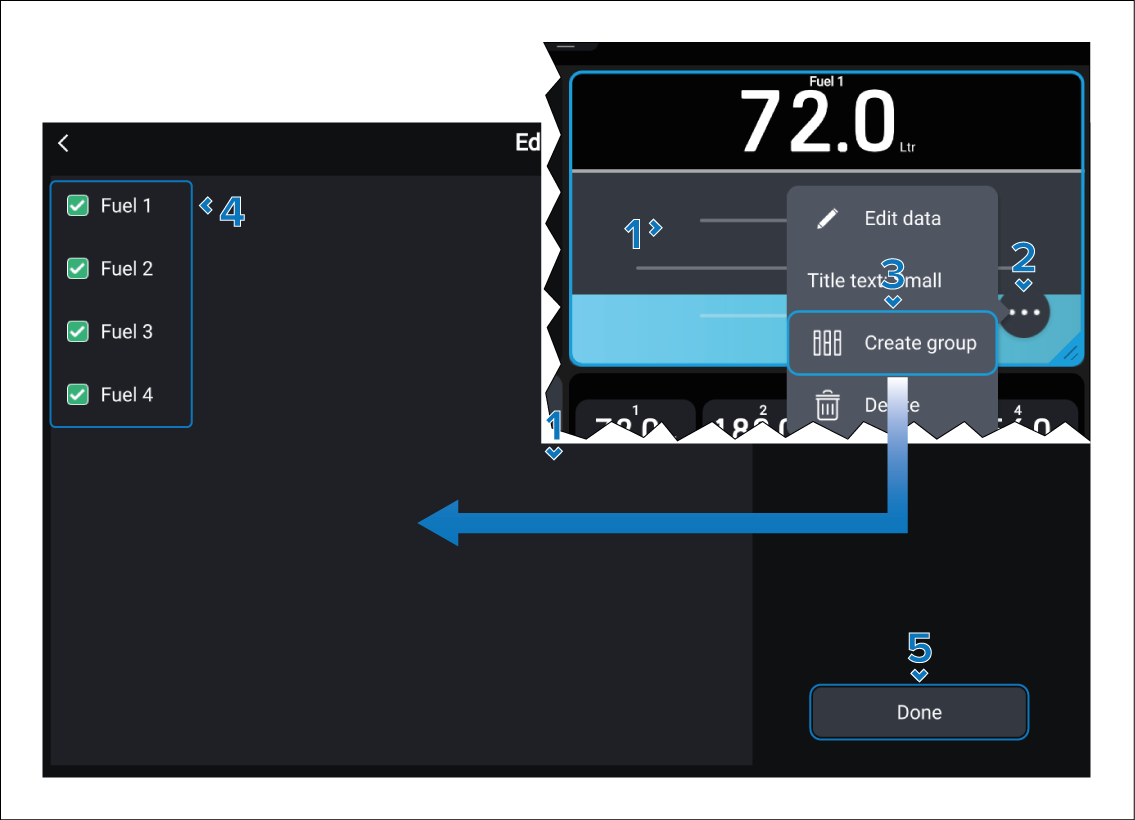
  1. Select and hold on the data item you want to group.

    Let go when the highlight appears.

  2. Select the ••• icon to open the pop-over menu.
  3. Select Create group.
  4. Tick the check box against the instances of the data item that you want to add to the group.
  5. Select the Done button.

The new Level group will be displayed and can be resized, or customized further from the pop-over menu.