A compatible sensor providing vessel heading data
and a compatible sensor providing position data must be connected
to your multifunction display / chartplotter network in order to use
the Steer to Navigation mode.
To engage your autopilot using the Steer to Navigation mode:
For Wheel and Tiller pilots, engage the mechanical drive
by either engaging the wheel drive’s clutch or attaching the pushrod
onto the tiller pin.
Perform a Goto or Follow route on your multifunction display / chartplotter.
Important
It is the captain’s responsibility
to ensure a route is safe to navigate before commencing the follow.
On your performance display, navigate to the Pilot:
STANDBY preset page.
Select Engage pilot.
The following menu will be displayed, along with turn
angle information related to the selected waypoint / point of interest:
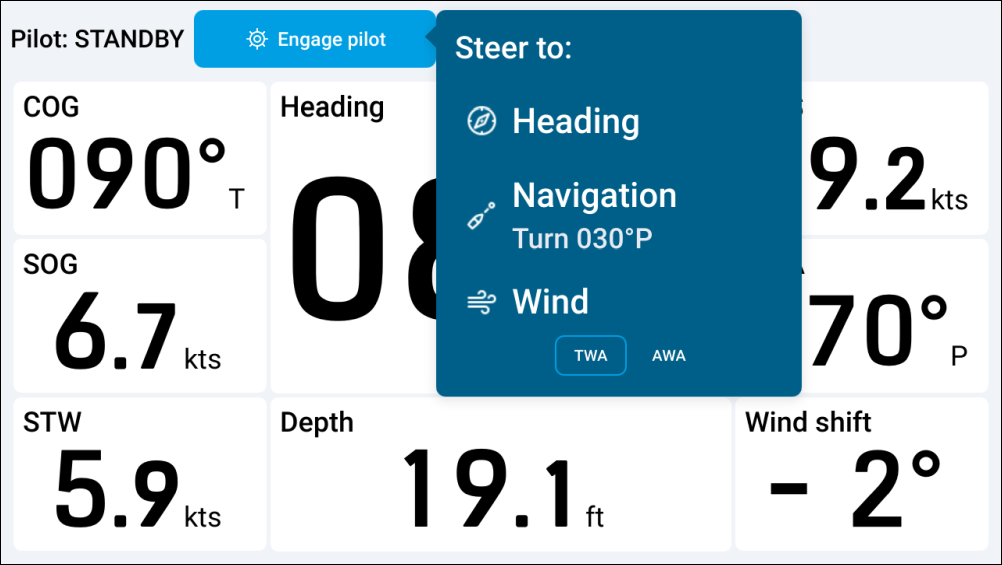
Select Navigation.
If applicable, choose between ALONG route leg or DIRECT from here:
Choosing ALONG route leg will steer along
the original track.
Choosing DIRECT from here will plot a new
track from your current position to the first waypoint on your route.
Your autopilot will engage and the Steer to Navigation mode will be displayed onscreen. For more information, refer to: Steer to Navigation