Engaging the autopilot (Steer to Wind)
In order to engage the autopilot using one of the available Steer to Wind sub-modes on your performance display:
Your multifunction display / chartplotter boating activity must be set to Sailing during the initial startup wizard, and;
A compatible wind transducer must be connected to your multifunction display / chartplotter network.
A compatible sensor providing vessel heading data must be connected to your multifunction display / chartplotter network.
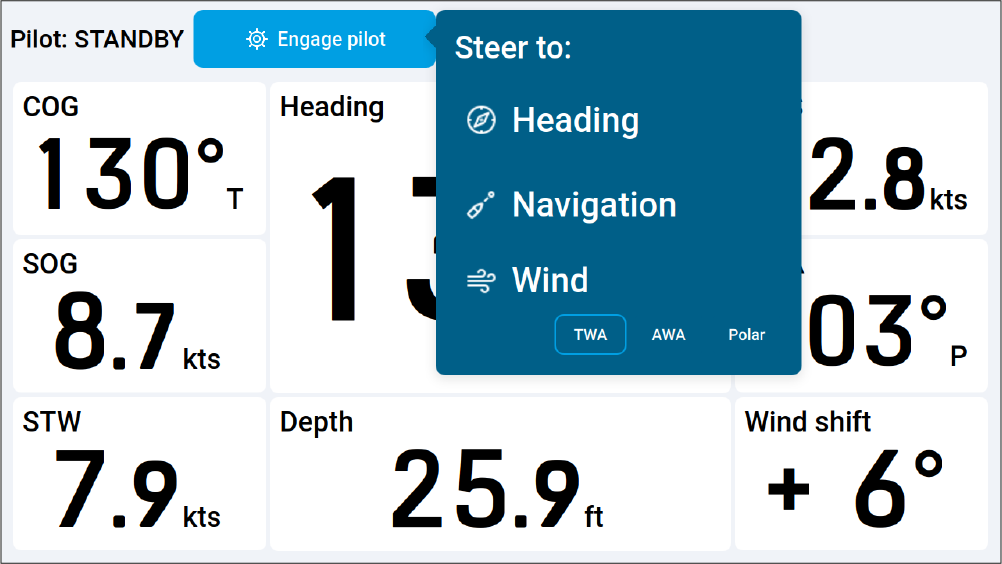
To engage your autopilot using one of the Steer to Wind sub-modes:
- Select Engage pilot.
The following menu will be displayed:
 Note
The Polar sub-mode is only enabled when the Sail performance setting on your multifunction display / chartplotter is set to Polar and if your vessel heading is within 30° of the polar target wind angle. The Sail performance setting can be changed by navigating to: .
Your autopilot will engage and the chosen sub-mode will be displayed onscreen. For more information, refer to: Steer to wind