Cable routing — platform mount
Cable routing (platform mount)Platform mounting
Using separate power and data cables.
Using an existing combined power / data cable from an older Raymarine® Digital Radar scanner. In this scenario, the A80308 Y-adapter accessory is required (not supplied with the scanner).
The routing options described and illustrated in this section assume that a physical data connection is used between your Radar scanner and multifunction display (MFD) / chartplotter. However, if the Radar scanner is connected to your MFD via Wi-Fi, a physical RayNet connection is not required.
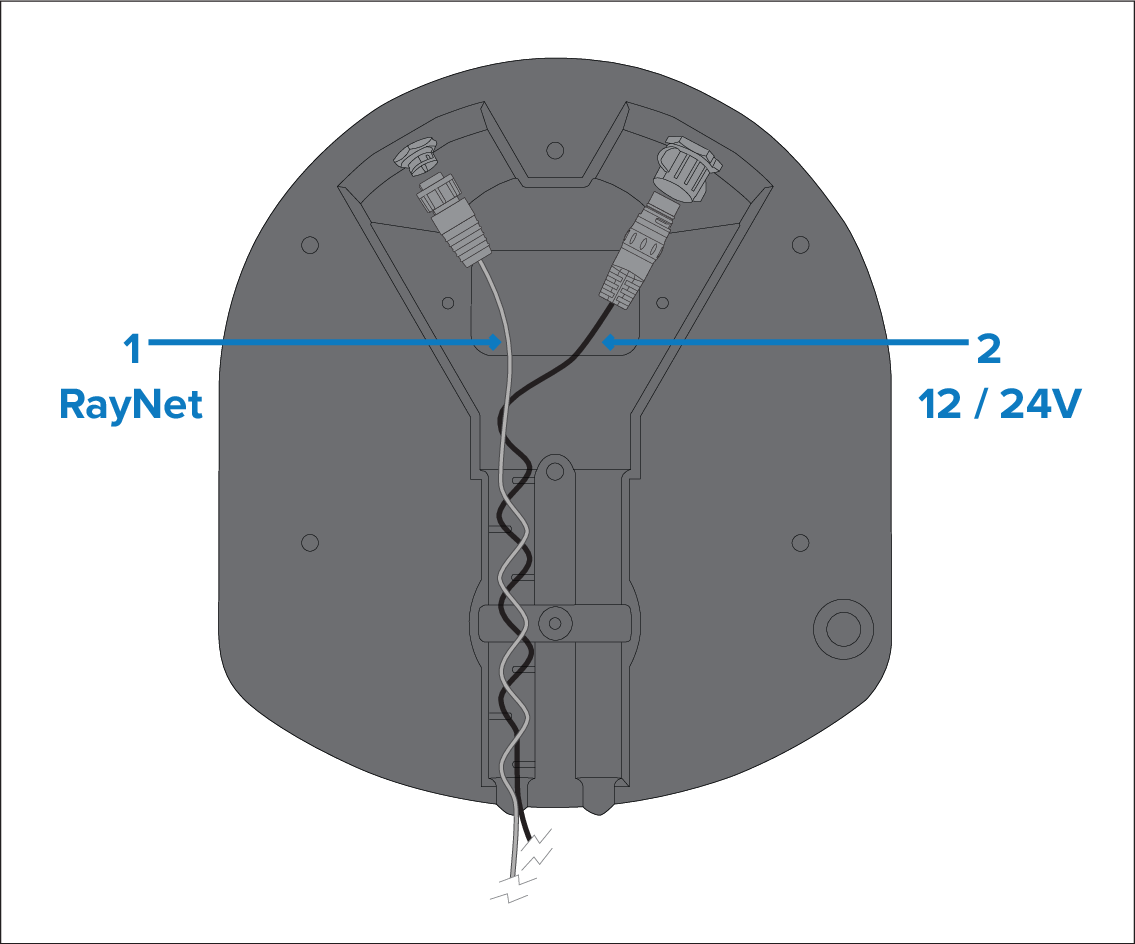
Figure 1. Scenario 1: Using separate power and data cables
RayNet data connection. (This connection is not required if connecting to the MFD via Wi-Fi.)
12 V / 24 V power connection, via the supplied power cable.
Not all Quantum™ radar variants are supplied with a RayNet cable. For more information, refer to: Document information
For information on suitable accessory RayNet cables, refer to: Spares and accessories
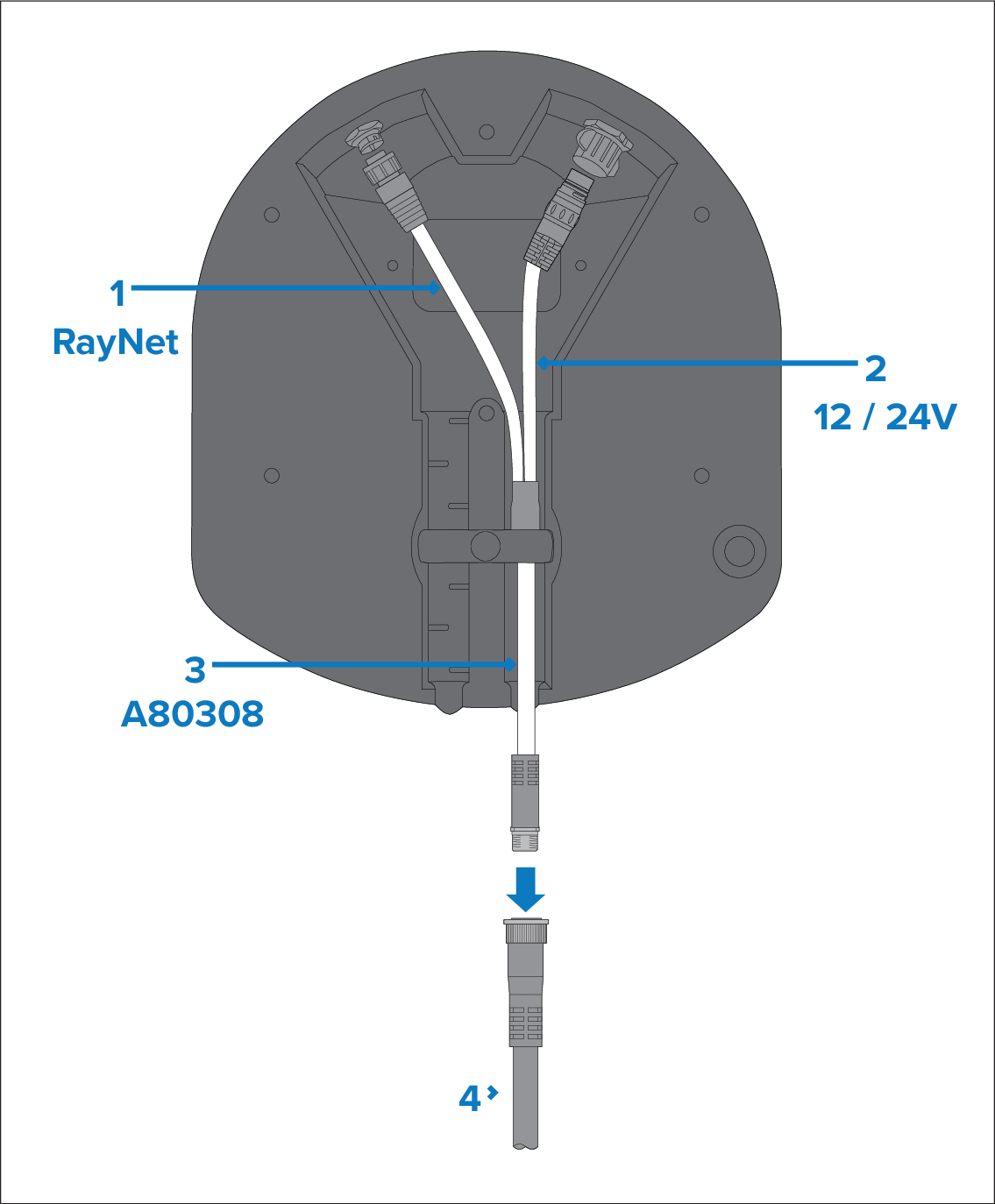
Figure 2. Scenario 2: Using an existing combined power / data cable from an older Raymarine® Digital Radar
RayNet data connection. (This connection is not required if connecting to the MFD via Wi-Fi.). This cable is part of the A80308 Y-adapter accessory cable.
12 V / 24 V power connection. This cable is part of the A80308 Y-adapter accessory cable.
A80308 Y-adapter accessory cable (not supplied with the scanner).
Existing combined Digital Radar power / data cable.