Navigation page
The Navigation page can be added as a data page. The Navigation page shows information about the vessel’s progress towards a target waypoint.
Navigation pageData pagesNavigation page
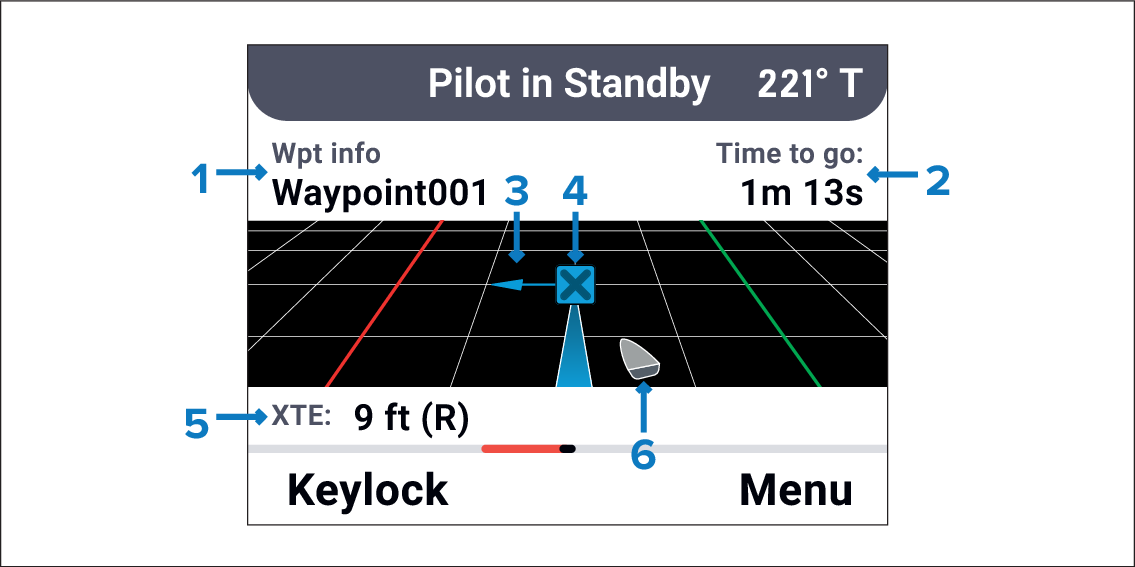
Figure 1. Navigation page overview
The Navigation page provides the following navigation details:
Waypoint name.
Time to go.
Next waypoint direction (applicable for routes).
Target waypoint.
XTE (Cross track error) (if applicable).
Vessel position.
Note
An arrow indicating whether you are to the right or left of the track will be shown instead of the vessel icon, if the current cross track error is greater than the value configured in your pilot controller’s, or chartplotter’s cross track error alarm.