Selecting a data source
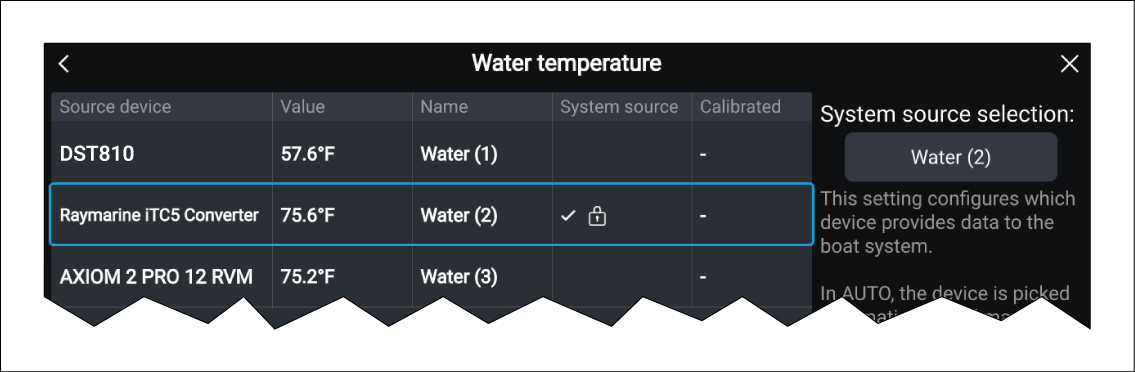
The system will automatically select preferred data sources. If required, you can manually select your own preferred data source.
Data sourcesSelecting a sourceFrom the Data sources menu:
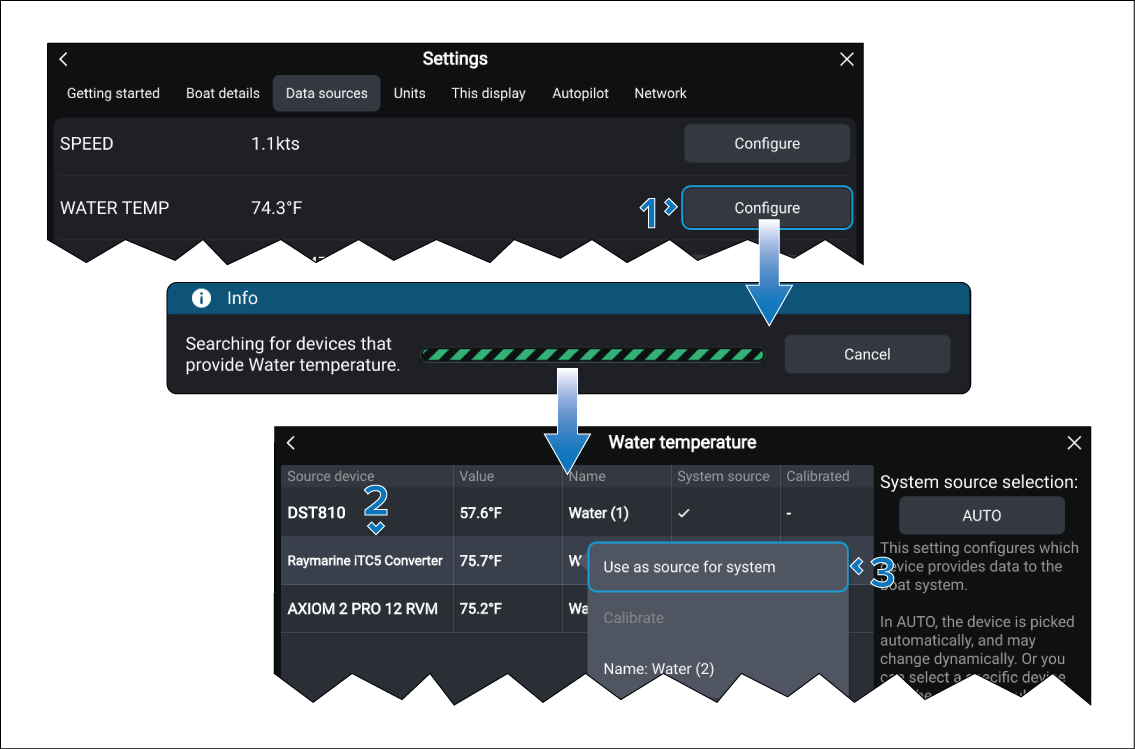
The system will now use your preferred source.