Data sources settings menu
Certain data sources and devices can be configured using the Data sources settings menu.
The menu can be accessed by selecting the Data sources tab, via the menu.
You can configure data sources and devices by selecting the Configure button next to the relevant item.
Data sources
The following data sources can be configured:
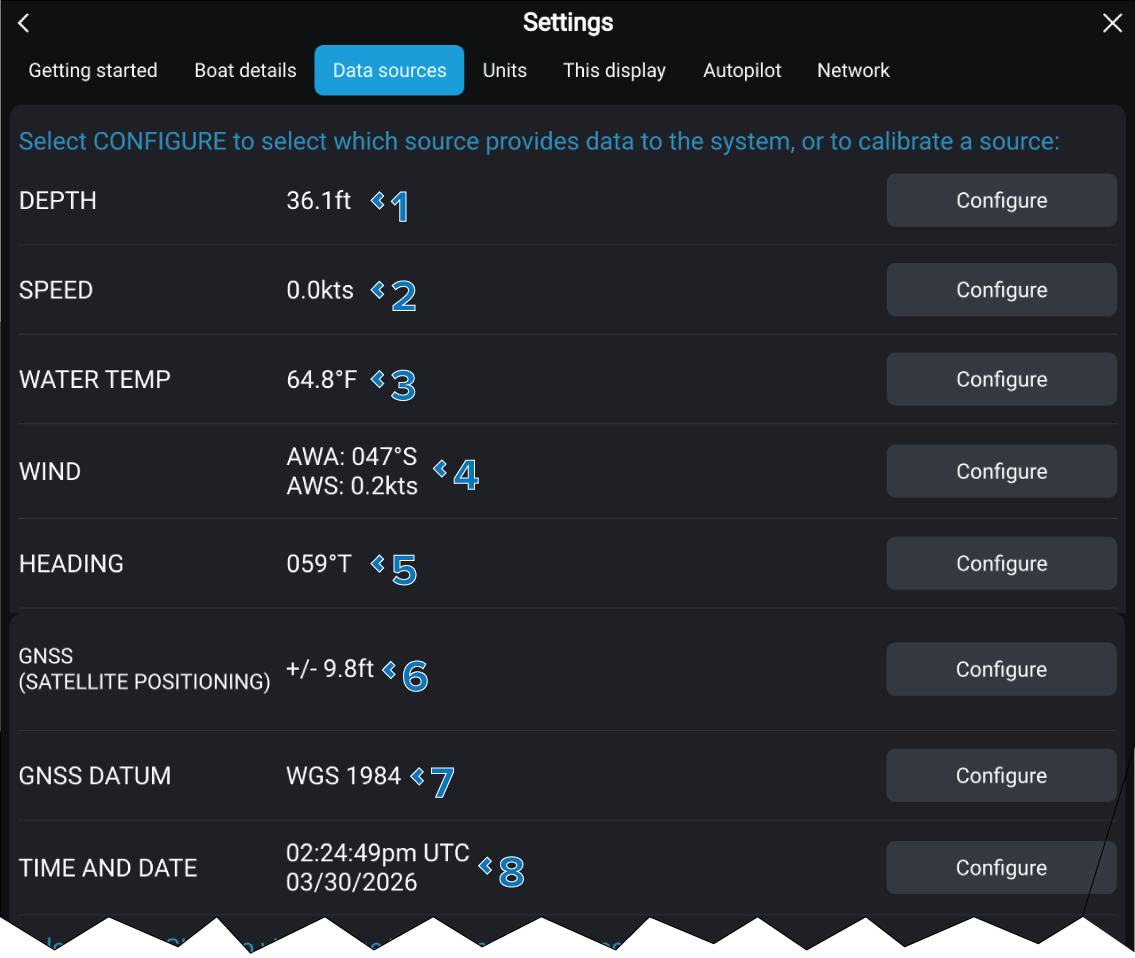
1 |
DEPTH |
5 |
HEADING |
2 |
SPEED (Speed through water) |
6 |
GNSS (SATELLITE POSITIONING) |
3 |
WATER TEMP |
7 |
GNSS DATUM |
4 |
WIND |
8 |
TIME AND DATE |
The current value for the preferred data source is displayed next to each item.
Devices
The following devices can be configured:
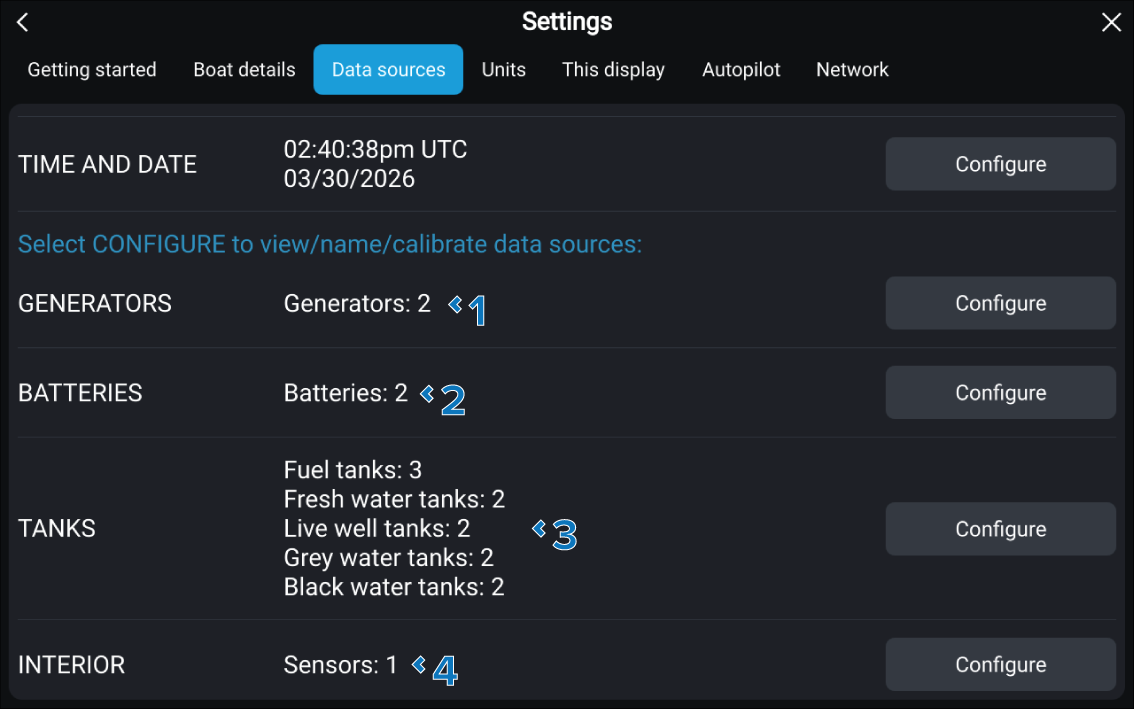
1 |
GENERATORS |
5 |
TANKS |
2 |
BATTERIES |
6 |
INTERIOR |
The quantity of detected devices is displayed next to each device category. The selected number of sensors is displayed in the INTERIOR row.