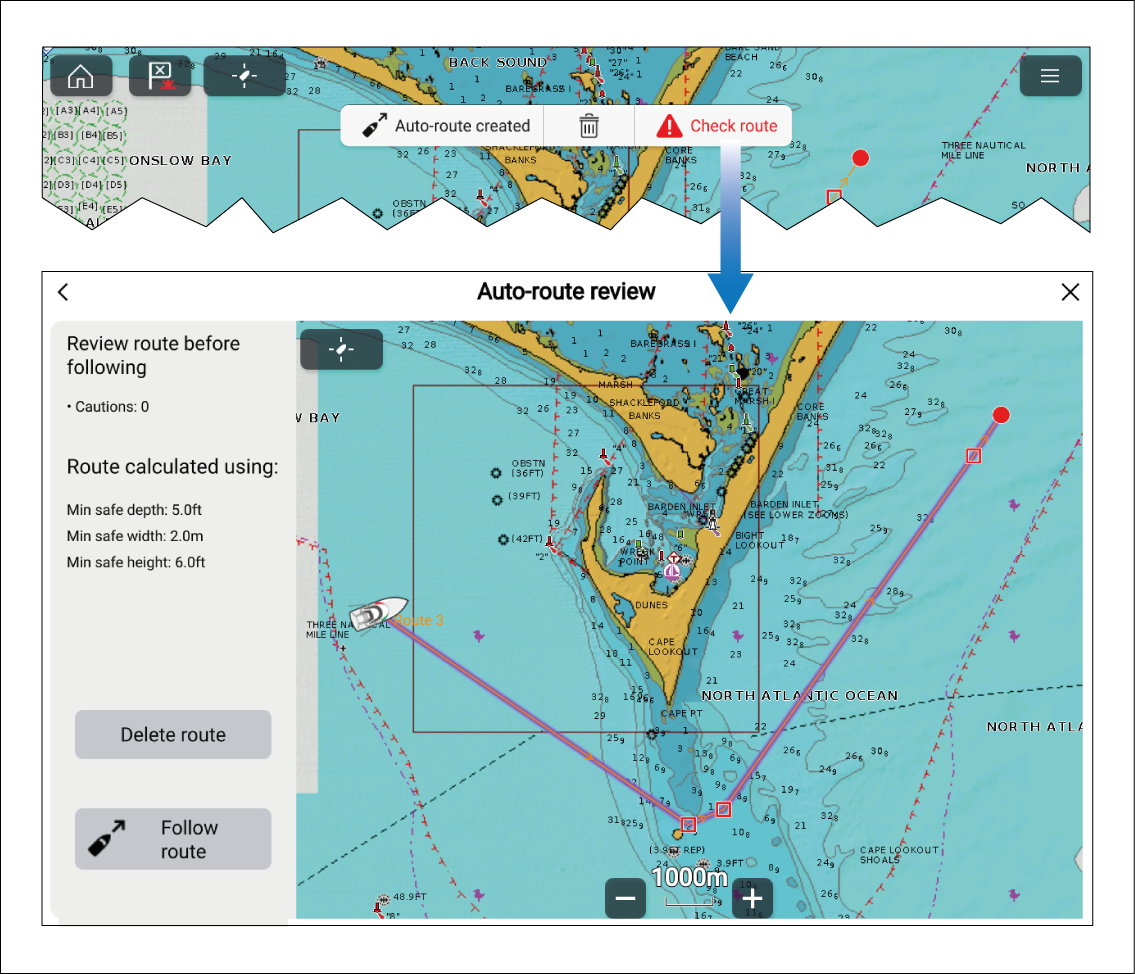
Automatically generated routes must be checked and, where
necessary, adjusted to ensure they are safe to navigate.
Selecting the Check route option from
the Auto-route created notification will open the Auto-route review menu.
From the Auto-route
review menu:
- Range in on each route leg and waypoint.
- Check either side of the route leg and around the waypoint
for any possible obstructions.
Unsafe areas can be charted objects or restricted areas. Routes
generated automatically use caution symbols to identify areas which
are potentially unsafe.
- Where cautions exist, make adjustments to the route so
that the waypoints and route legs are no longer unsafe to navigate.