Creating an auto-route
The auto-route feature is initiated using the RouteTo option in the chart context menu.
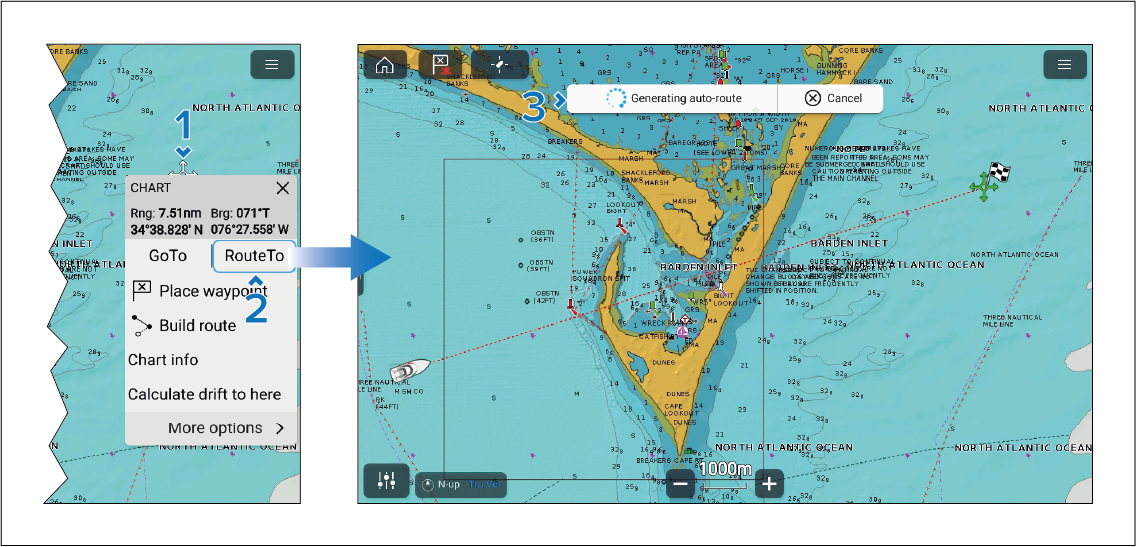
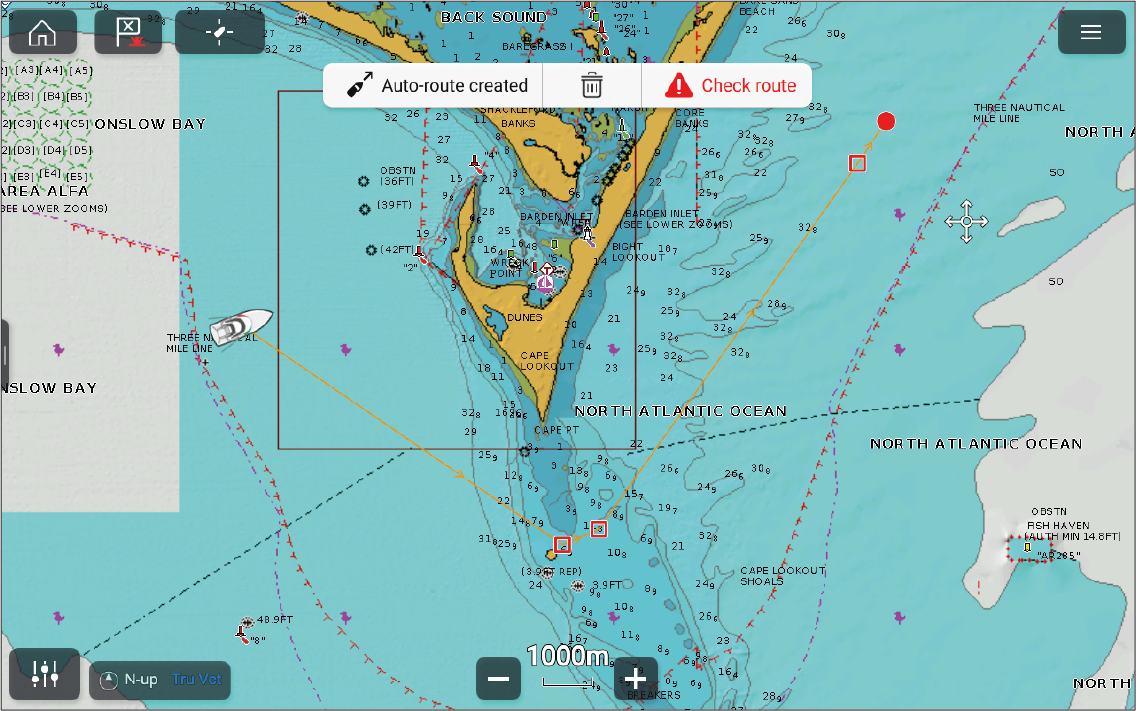
Once the route has been generated a dialog will be displayed with the following options:

Auto-route created option — select to Follow the route (Not recommended).
Bin icon — select to delete the route.
Check route option — select to check if the route is safe to follow. (Recommended).
Important
Auto-routing should only be used as an aid to planning.
To ensure safe navigation, you MUST check the proposed auto-route before following.