Moving a waypoint in an auto-route
Waypoints within auto-routes can be moved so that identified cautions can be avoided.
Auto-routeMoving waypointsFrom the Auto-route-review menu:
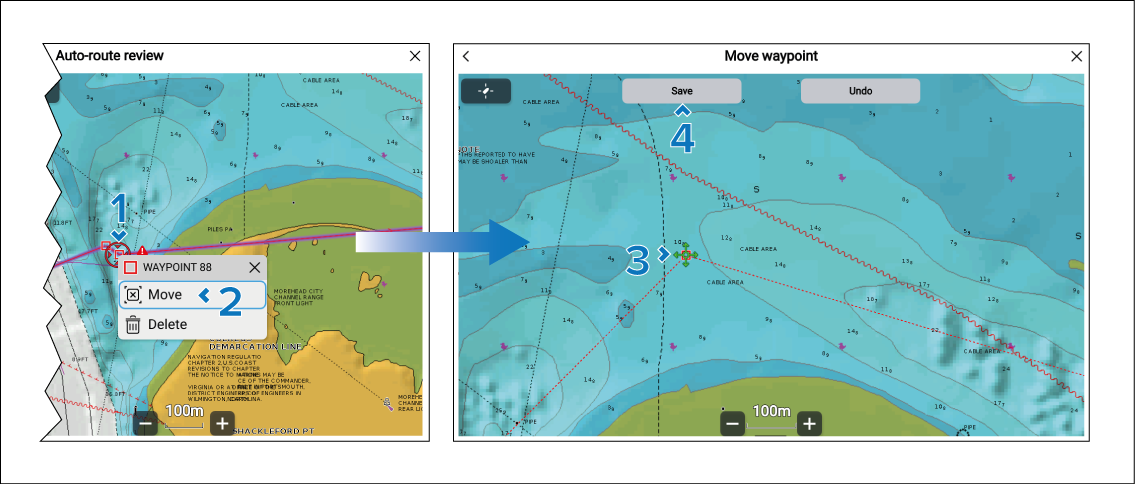
- Select and hold on the waypoint closest to the caution symbol.
- Select the Move option from the context menu.
- Move the cursor to the desired new location for the waypoint.
- Select the Save button.
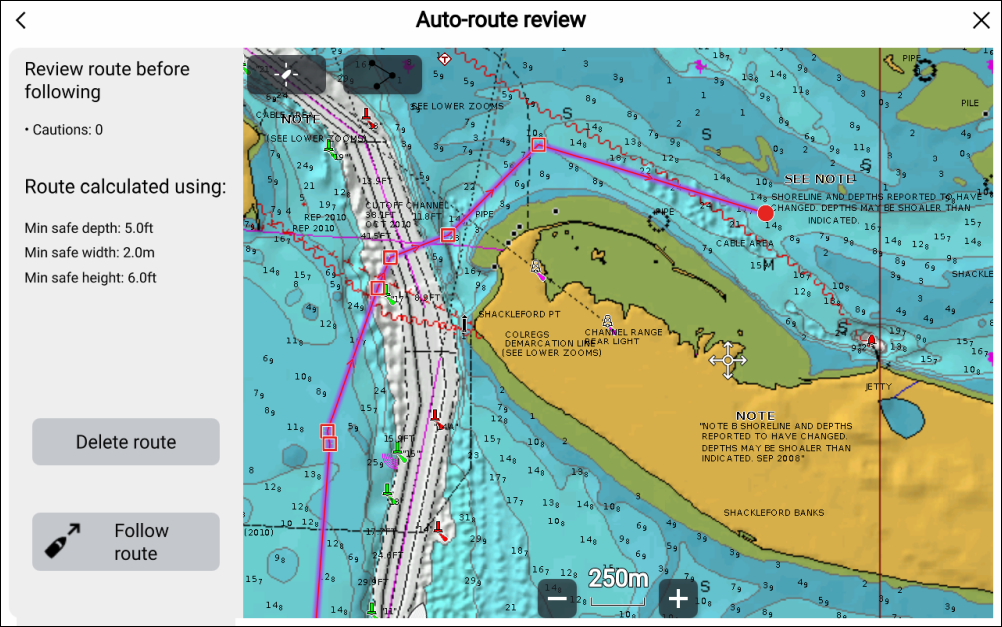
Important
You must ensure that the new waypoint location is safe to navigate. When a waypoint is moved, the system assumes the new location is safe and removes the caution symbol.