Generator settings
Detected compatible generators can be viewed and customized from the Generator settings menu.
For a chartplotter to receive generator data the generator must be:
connected to the same SeaTalk NG™ / NMEA 2000 network as the chartplotter (typically, via the generator manufacturer’s NMEA 2000 interface/gateway, which must be running an appropriate software version — refer to the generator manufacturer), and
transmit supported NMEA 2000 PGNs.
For information on compatible interfaces, refer to your generator’s manufacturer.
Each generator’s NMEA 2000 interface must be configured with an instance number that is unique within the vessel’s NMEA 2000 network. If a generator interface uses the same instance number as another device such as a propulsion engine, a data conflict can occur. If necessary, consult the generator manufacturer for information about configuring instance numbers.
Generators ConfigureThe Generator settings menu is accessed by selecting the Configure button from the Data sources menu: .
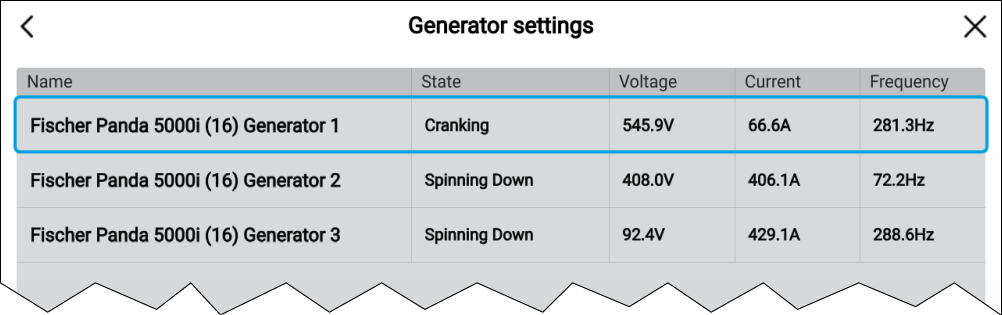
The Generator settings menu lists all detected generators in a table and provides details and status for each generator. Default generator names are based on the reported device name and instance (unique number).
Selecting a generator from the table opens a pop-over menu. From the pop-over menu, you can rename the generator. Generator names are used to identify generators in generator data items.
Generators that report Not found can be removed from the list by selecting the Remove option from the pop-over menu.
Detailed data for generators can be viewed on a pre-configured data page in the Dashboard app. For details, refer to: Generators page