Battery settings
Detected batteries can be viewed and customized from the Battery settings menu.
The chartplotter automatically detects batteries on the network when battery information is transmitted using standard NMEA 2000 PGNs 127506 & 127508, or via other supported interfaces.
Battery ConfigurationSettingsThe Battery settings menu is accessed by selecting the Configure button from the Data sources menu: , or from the alarms manager: .
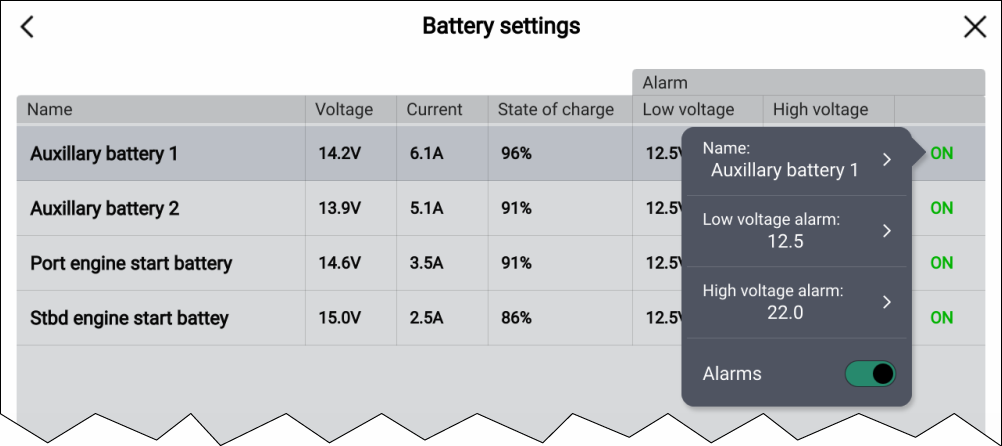
The Battery settings menu lists all detected batteries in a table and provides details and status for each battery. Default battery names are based on the reported device name and instance (unique number).
Selecting a battery from the table opens a pop-over menu. From the pop-over menu you can rename, or set up low and high voltage alarms for the selected battery. Battery names are used to identify batteries in battery data items.