Distance guides
The Distance guides feature is a visual aid that overlays reference lines on the camera image to help provide an awareness of the distance between objects in view. This feature can assist with maneuvering, docking and monitoring areas around the vessel by providing a visual indication of relative distance.
The Distance guides feature is only available on CAM400 cameras on chartplotters running LightHouse v5.0.126, or later.
The Distance guides feature is NOT available in the camera’s user interface or on third party displays.
Distance guidesCAM400The Distance guide feature can be enabled or disabled from the chartplotter’s Video app settings menu:
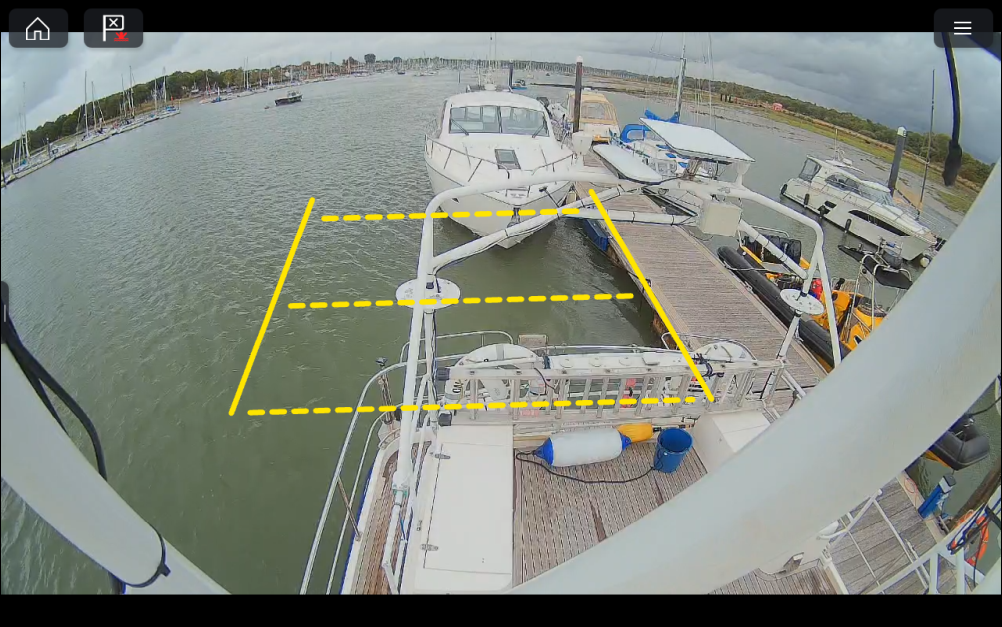
The Distance guides feature is a visual aid only and must not be relied upon for navigation, collision avoidance, or determining safe operating distances. Always maintain a proper lookout and use all available navigation aids, and exercise sound judgement when operating the vessel.
The Distance guides require installation specific configuration based on the camera’s mounting position, viewing angle, and field of view. Select the Configure button from the Image settings menu in the chartplotter’s Video app .