Deleting a waypoint in an auto-route
Waypoints within auto-routes can be deleted.
Auto-routeDeleting waypointsDeleting waypoints within an auto-route can simplify the route or alter its path to avoid a caution area.
From the Auto-route-review menu:
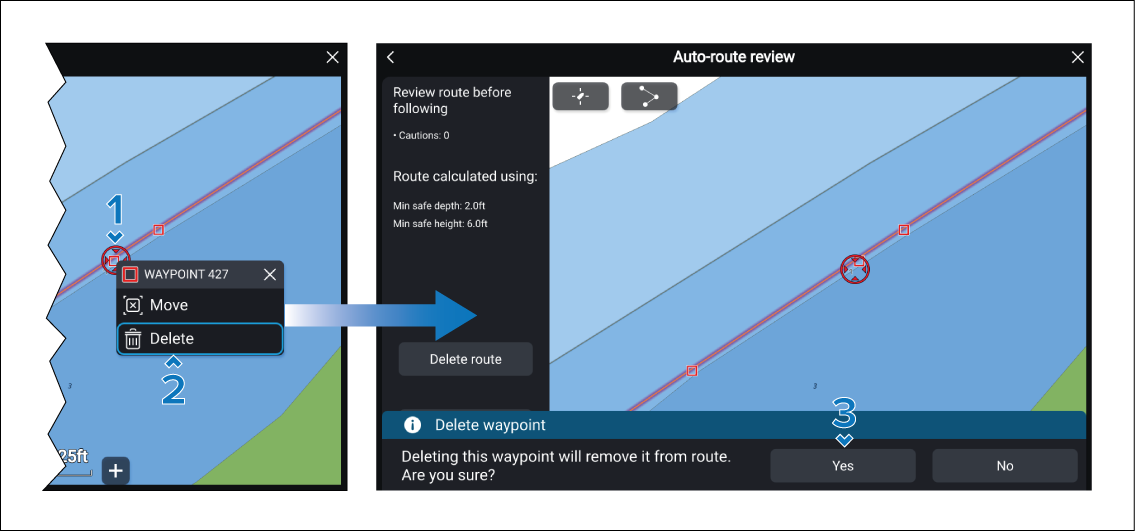
- Select and hold on the waypoint that you want to delete.
- Select the Delete option from the context menu.
- Select the Yes button on the confirmation dialog.
Important
You must ensure that the adjustments made to the route leg is safe to navigate. When a waypoint is removed, the system assumes that the resulting route leg positions are safe, any related caution symbols will be removed.