Data app menu
Settings for the data app are available from the main menu. The main menu is accessed by swiping down from the top of the screen and selecting the menu icon located on the right, or by pressing a physical Menu button.
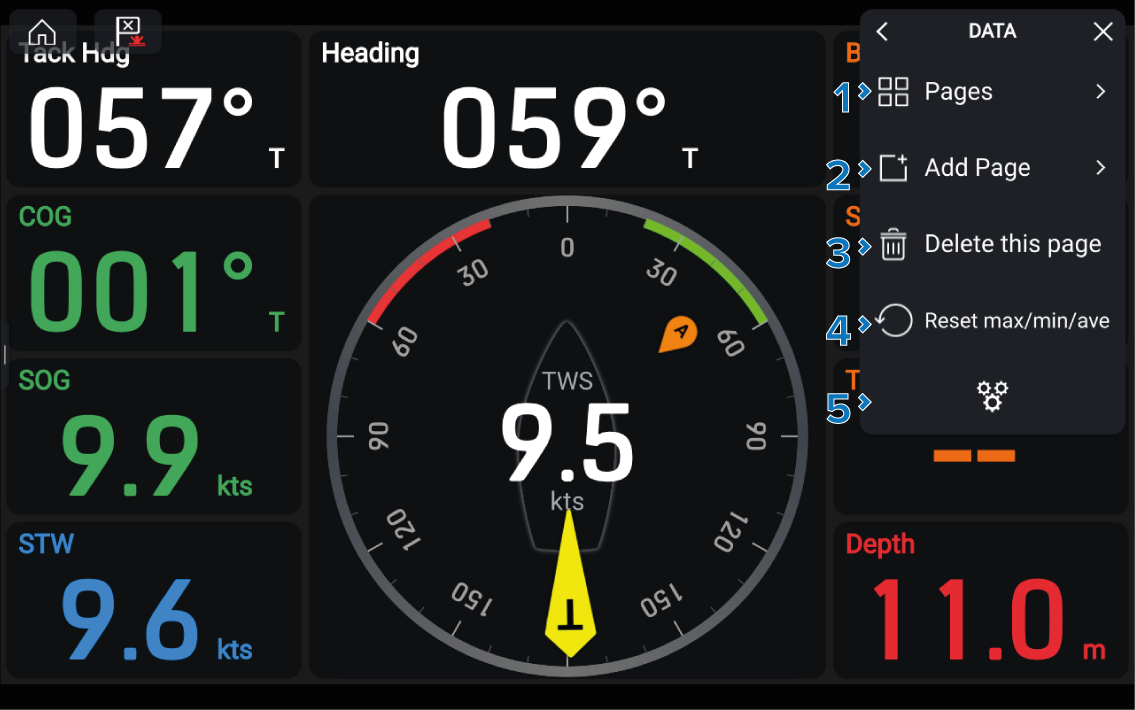
Data appMain menuThe following settings are available from the main menu:
Description |
|
|---|---|
1 |
Pages Open the Pages menu to view and organize your data pages. for more information refer to: Pages menu |
2 |
Add Page Add a new data page using the available page types. For more information refer to: Page types |
3 |
Delete this page Delete the current data page. |
4 |
Reset max/min/ave Reset maximum, minimum and average data that has been accumulated since the display was last powered on. |
5 |
Settings Open the Settings menu. For more information refer to: Settings menu |