Creating a sailing page
Chartplotters configured using the Sailing boating activity will include sailing pages by default. Additional sailing pages can be added using the available presets.
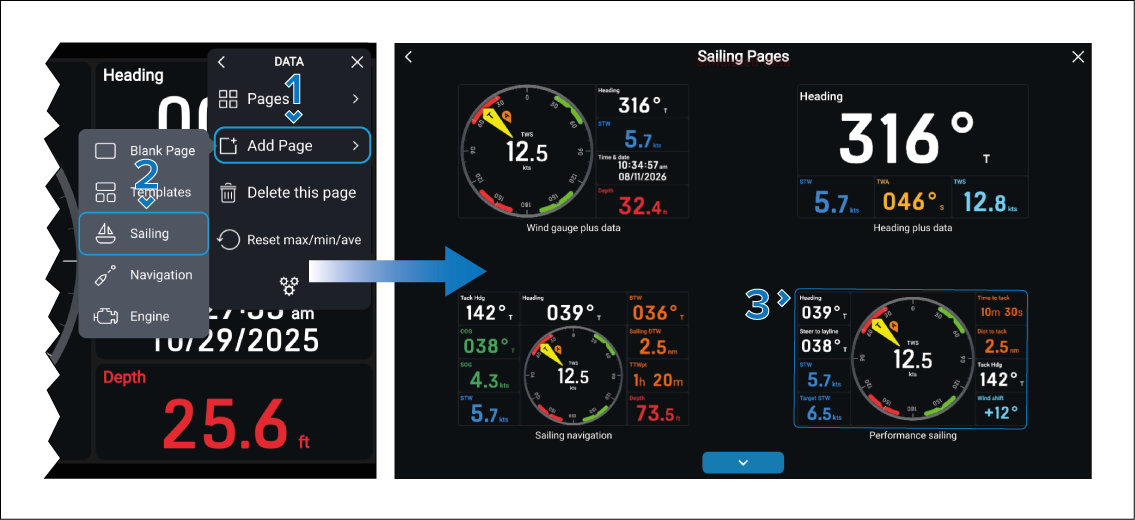
Once added, standard data items can be edited as normal. Data items that appear within gauges cannot be changed.