Changing wind type
The sailing gauge can use either True wind, or Apparent wind.
Data appwind typeSailingWind typeFollow the steps below to change the wind type.
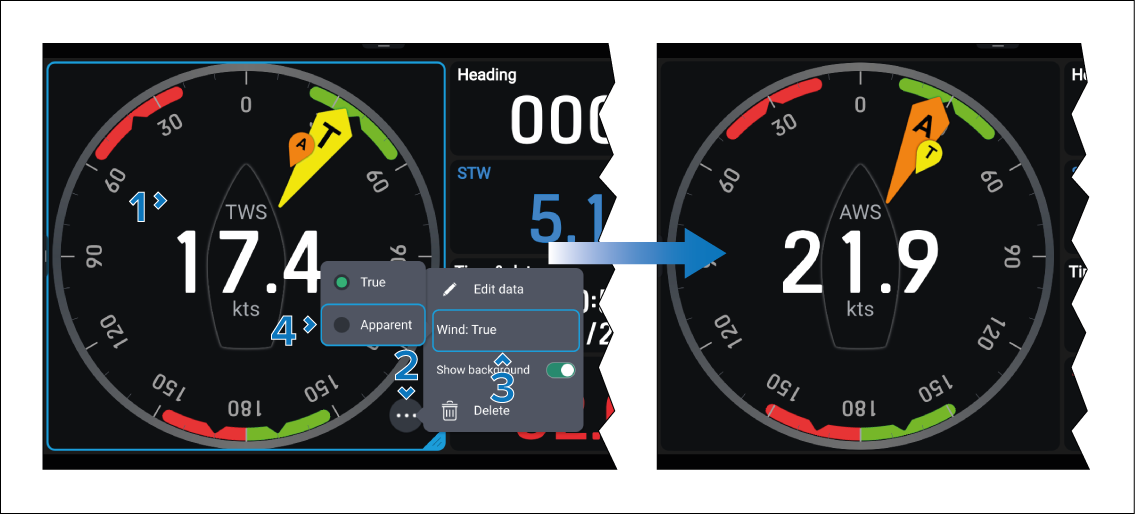
The wind speed and primary wind indicator will change to use the selected wind type.
The sailing gauge can use either True wind, or Apparent wind.
Data appwind typeSailingWind typeFollow the steps below to change the wind type.
The wind speed and primary wind indicator will change to use the selected wind type.