Autopilot control overview
Your performance display can be integrated with an Evolution-Series autopilot system and act as the autopilot’s controller while connected to a Raymarine LightHouse 4 (v4.7.172 or later) multifunction display / chartplotter. Refer to the documentation supplied with your autopilot for details on installation, commissioning and connecting your autopilot to your multifunction display / chartplotter network.
Before your performance display can be used as an autopilot controller, autopilot control must first be enabled on your connected multifunction display / chartplotter via the Autopilot tab in the Settings menu: .
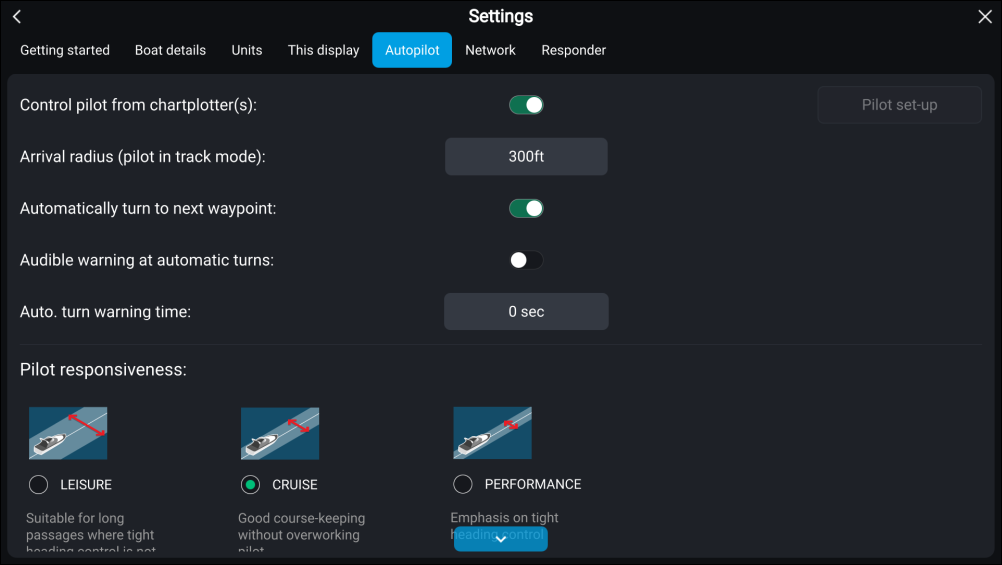
Once enabled, the Autopilot control page preset will be available as an option on your performance display. For more information on how to add a page preset, refer to: Creating new pages