Camera operation via the Web interface (LightHouse 4 / LightHouse 3)
Raymarine® LightHouse™ 4 (version 4.1.75 or later) and LightHouse™ 3 (version 3.12.217 or later) multifunction displays which are connected to the CAM300 can directly access and change the camera’s Web browser user interface settings by using the Calibrate function.
OperationMFDWeb interface (Raymarine MFD)
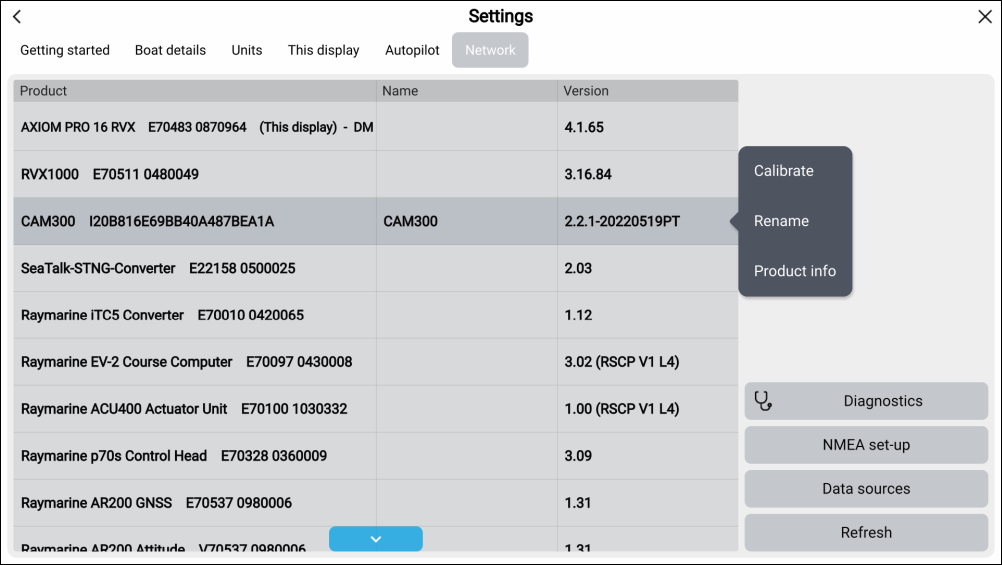
In order to access the Web browser user interface:
- Select the CAM300 product description.
Note
For further information on how to login and configure the camera’s Web browser user interface, refer to the following sections: