Selected flags
Augmented Reality flags in the Video app can be selected (highlighted), providing access to more information about the object and additional features.
Augmented RealityFlags
A flag is an onscreen visual overlay element displayed in the Video app when the Augmented Reality features are enabled. A flag represents an object from the Chart application: e.g. AIS target, Waypoint, or other chart object.
When a flag is selected, the corresponding object is also highlighted in the Chart app. Conversely, selecting an object in the Chart app highlights the corresponding flag in the Video app.
Only one flag may be selected at a time.
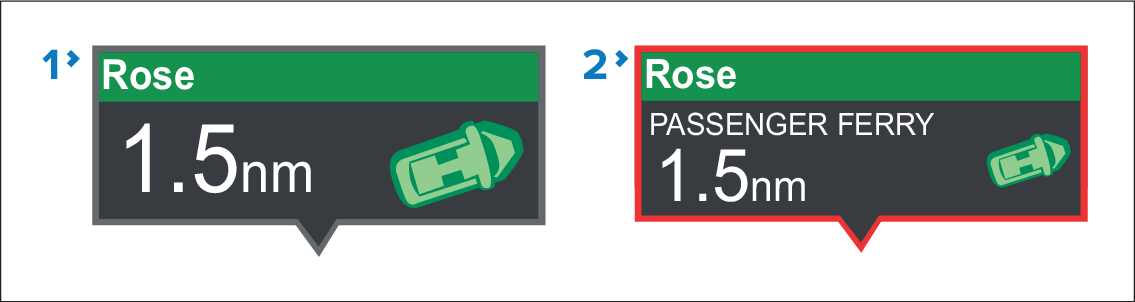
AIS Flag
Selected AIS Flag
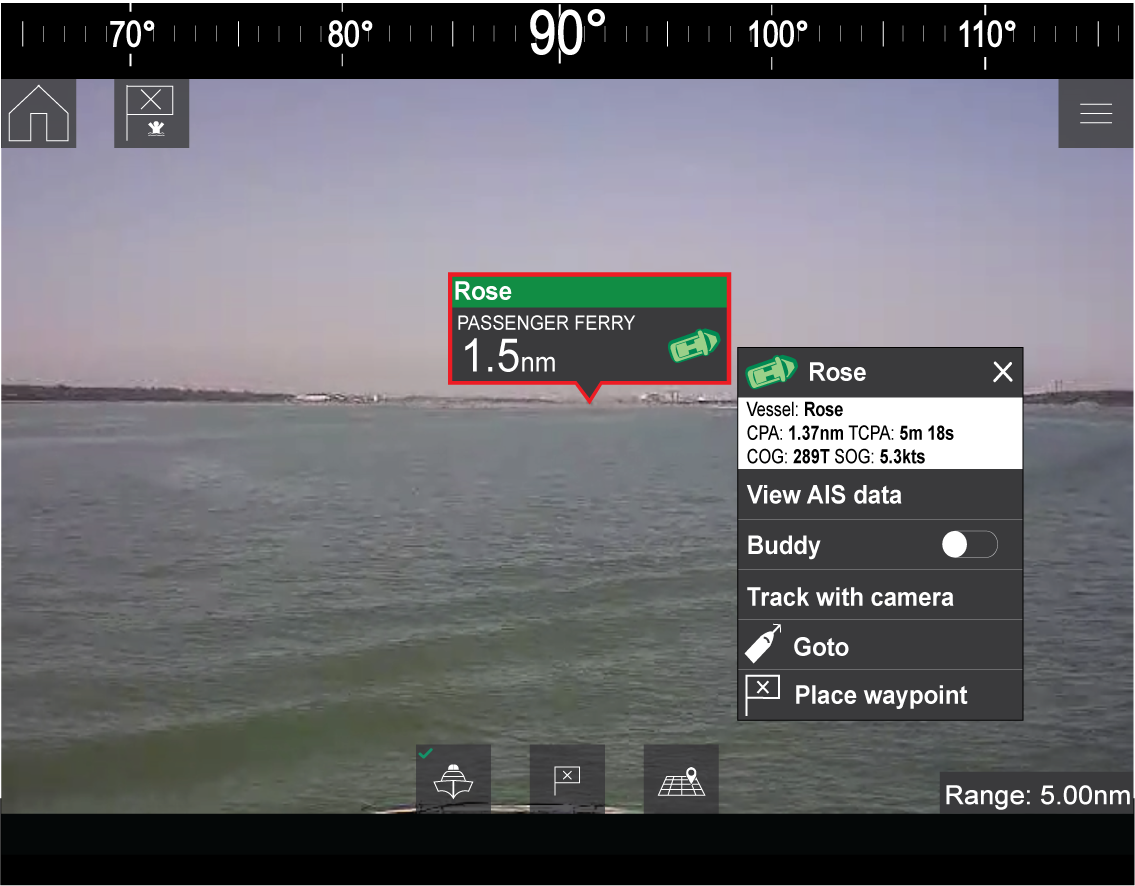
Selecting a flag highlights it in red and provides additional information about the object in a context menu. The menu also provides additional features. The range of features available in the context menu depends on the type of object selected:
AIS Target Flag
| Option | Description |
|---|---|
AIS Target name |
The name of the target vessel. |
Target data |
Vessel (name), CPA, TCPA, COG, SOG. |
View AIS data |
Displays the AIS data transmitted by the target vessel. |
Buddy (toggle ON/OFF) |
Add the vessel to your “Buddy List”, with the option to rename it. The Buddy feature enables you to add AIS-equipped friends and regular contacts to a “Buddy List” on your MFD. As soon as a vessel on your Buddy List comes within range of your AIS receiver, the onscreen vessel icon changes to indicate this. Buddy, add to list from AR flagAIS, Buddy |
Goto |
The Chart app will plot a direct route to the last known location of the target. |
Place waypoint |
The Chart app will place a waypoint at the last known location of the target. Waypoint, place from AR flag |
Waypoint Flag
| Option | Description |
|---|---|
Waypoint name |
The name of the waypoint. |
Target data |
Lat, Lon, Rng, Brg. |
Goto |
The Chart app will plot a direct route to the last known location of the target. |
Delete |
Delete the waypoint. |
Edit |
Edit the waypoint’s Name, Symbol, Group, Position, and add a Comment. |
Chart Object Flag
| Option | Description |
|---|---|
Chart Object name |
The name of the chart object. |
Target data |
Lat, Lon, Rng, Brg. |
Goto |
The Chart app will plot a direct route to the last known location of the target. |