Wired handset mounting using the holster
Follow the steps below to mount the wired handset.
Before mounting, ensure that your selected location meets the location requirements found in this document.
MountingWired handset
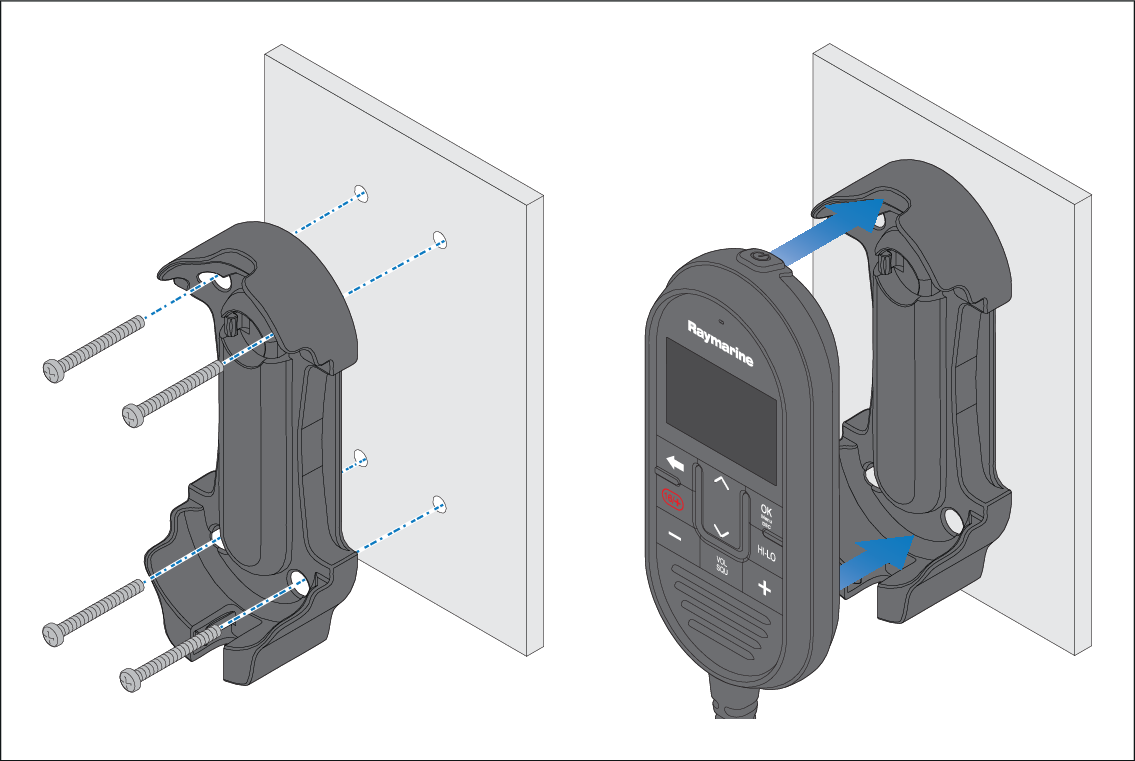
- Check the selected location for the mounting holster, a clear flat area is required, with sufficient space around it to place and remove the handset.
- Using a pencil, offer up the holster to the desired location and mark the location of the screw holes on the mounting surface.
- Drill the mounting holes using a suitable size drill bit.
- Hold the holster in place and secure using the screws provided.
- Place the handset into the holster until it clicks into position.