GNSS (GPS) antenna connection
You can improve the performance of your radio’s built-in GNSS (GPS) receiver using an external antenna.
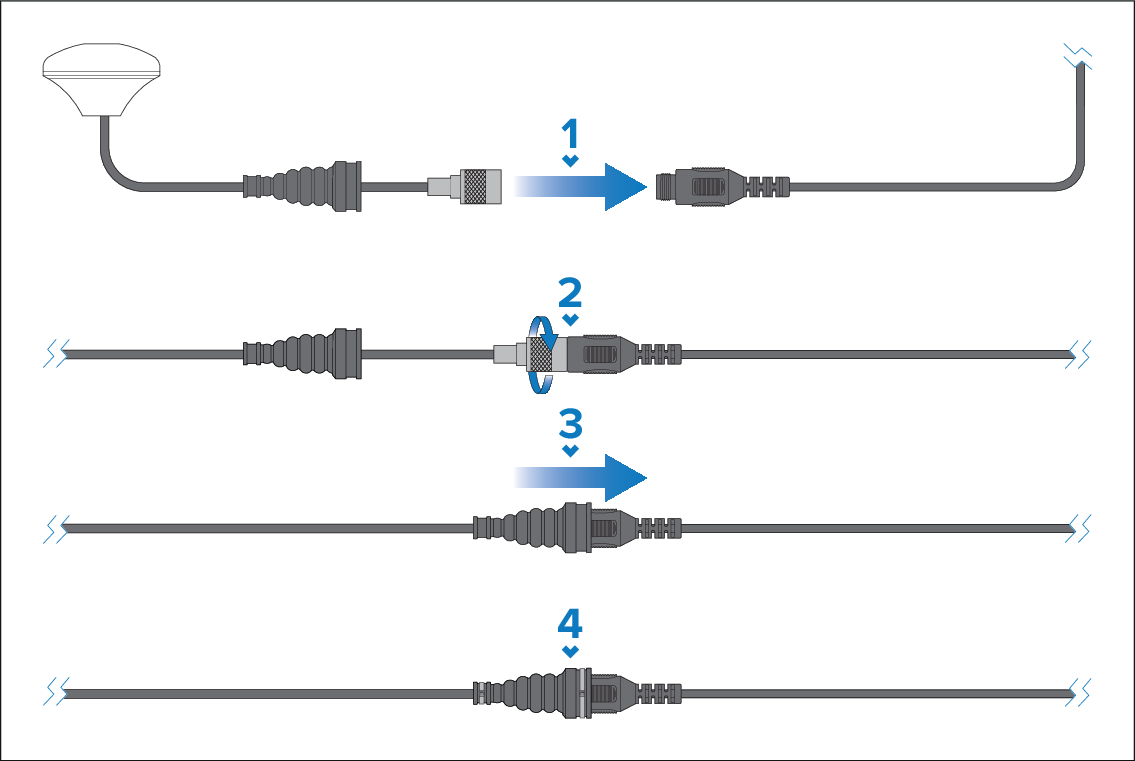
Follow the steps below to connect the external antenna:
- Remove the dust cap from the external antenna connector on your radio. Ensuring correct connector orientation, fully insert the external antenna connector into the GA150’s connector.
- Tighten the antenna connector’s locking collar by rotating the GA150’s connector clockwise until tight.
- Push the protective boot into position over both connectors.
- Secure the protective boot using a cable tie on each end.