External alarm connection
An external alarm can be connected to the ALARM | VIDEO 1 connector located on the rear of the display,
using the Video In/Alarm out cable accessory (part number: A80235). The alarm buzzer sounds an audible alert tone
when an alarm is triggered on the display.
ConnectionsAlarm buzzerAlarm buzzer connection
Note
To ensure a secure connection to the display, twist the locking collar on the ALARM | VIDEO 1 connector so that it is in the locked position.
The alarm to cable connection should be made using suitable connectors (e.g. crimps), and then covered in insulation tape or similar to ensure the connection is secure and watertight.
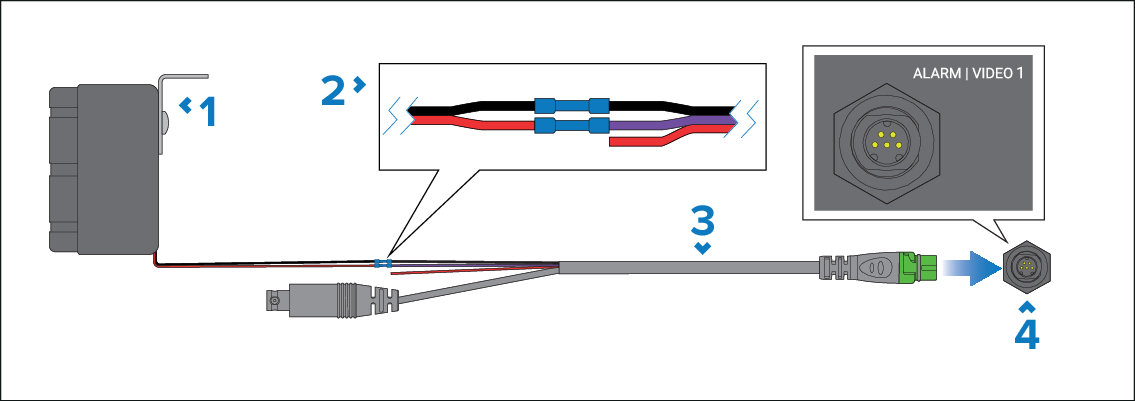
External alarm buzzer (part number: E26033) — Not supplied.
Connection — Wires must be connected Black to Black and Red to Purple.
Video in/Alarm out cable (part number: A80235) — Not supplied.
Display’s ALARM | VIDEO 1 connector.