The optional deck mounting kit (A80437) can be used to raise the product from the mounting surface, for
installations where the cabling needs to be above-surface.
InstallationSurface mount (with riser)Surface mount (with riser)
The wall bracket is not required when using the riser.
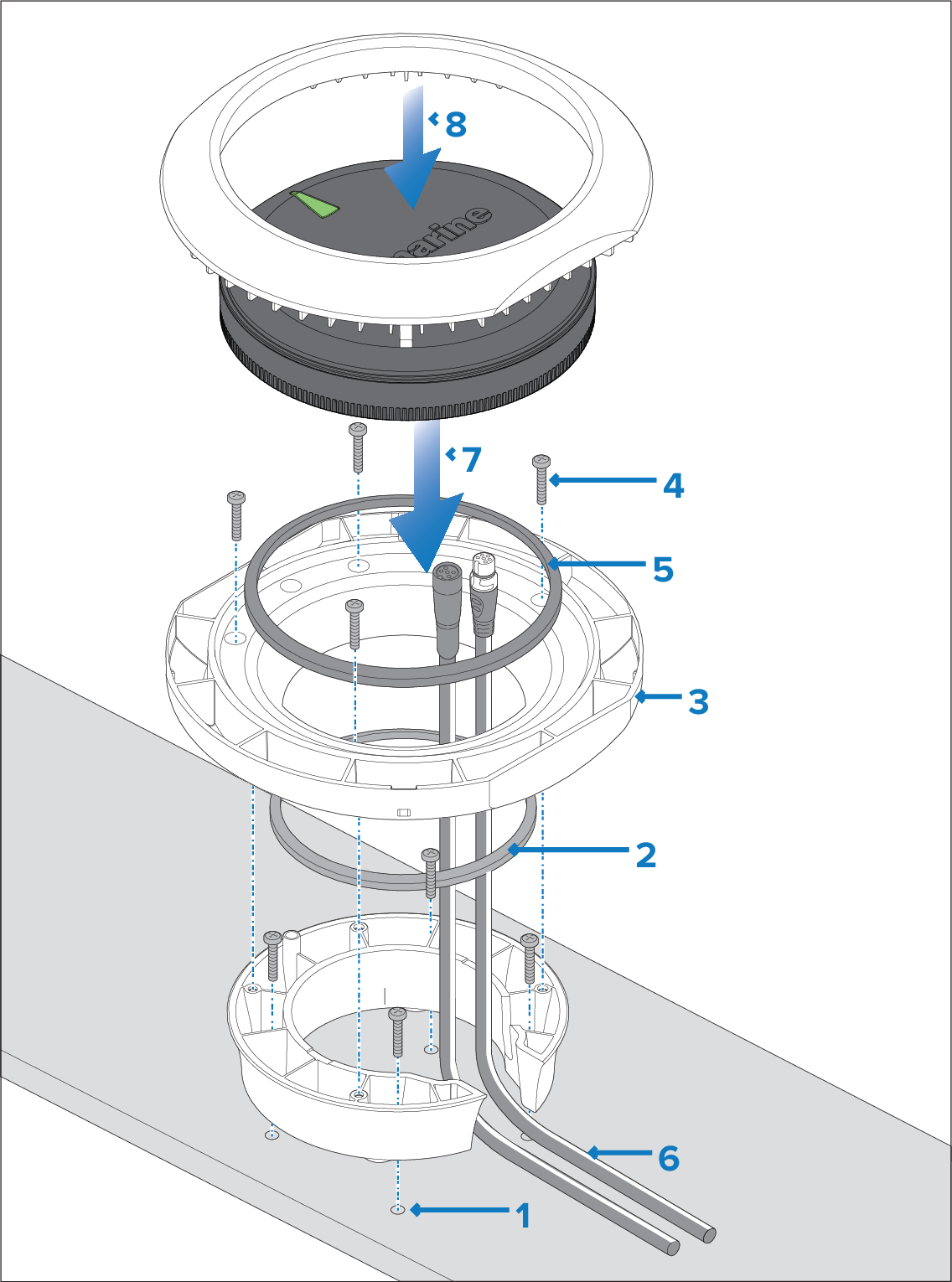
- Use the deck mount riser template (87280) provided with the kit (A80437) to drill 4 holes
in the mounting surface. Secure the riser to the mounting surface
using the 4 supplied fixings.
- Place the small sealing ring in the groove located on the
bottom of the mounting tray.
- Position the mounting tray on top of the riser.
- Secure the Mounting tray to the Riser using 3 supplied
fixings.
- Place the large sealing ring into the groove on the upper
side of the mounting tray.
- Pull the SeaTalk NG and DeviceNet cables through
the riser and mounting tray. Plug in both cable connectors on the
underside of the unit. Secure the SeaTalk NG cable by rotating the locking collar clockwise 2 clicks.
Note If there is not enough space in the riser to
accommodate the cables and to plug the SeaTalk NG or DeviceNet spur cables into the unit,
you may need to obtain a SeaTalk NG spur cable with a right-angled elbow connector (A06081) or a right-angled elbow adaptor (A06077).
- Insert the unit into the mounting tray, ensuring the tabs
in the mounting tray are slotted into the grooves around the edge
of the unit.
Important The unit must be mounted with the
LED ‘arrow’ in parallel alignment with the longitudinal axis (centerline)
of the vessel and be pointing towards the vessel’s bow.
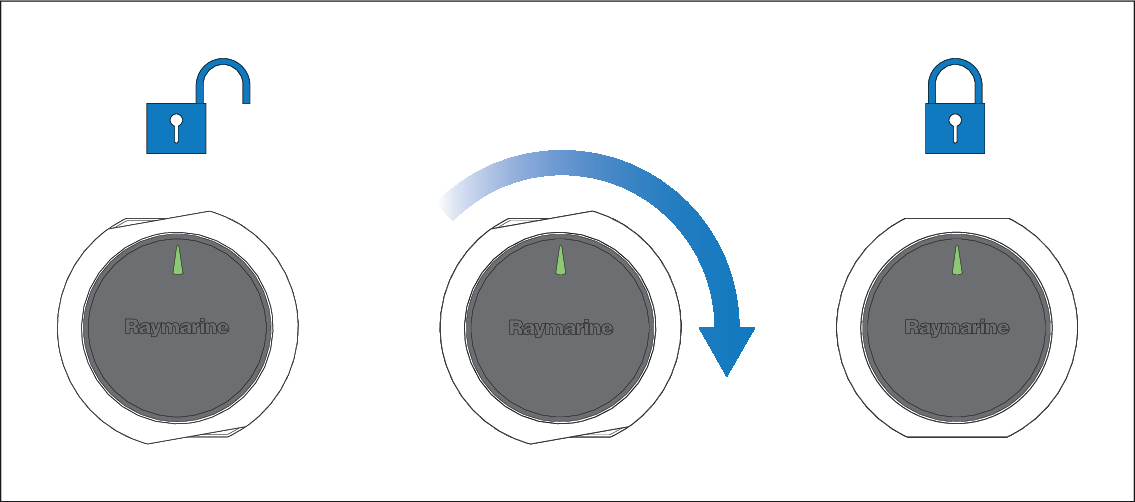
- Place the mounting trim over the unit slightly offset,
and then twist the mounting trim clockwise until it locks into position.