Network settings menu
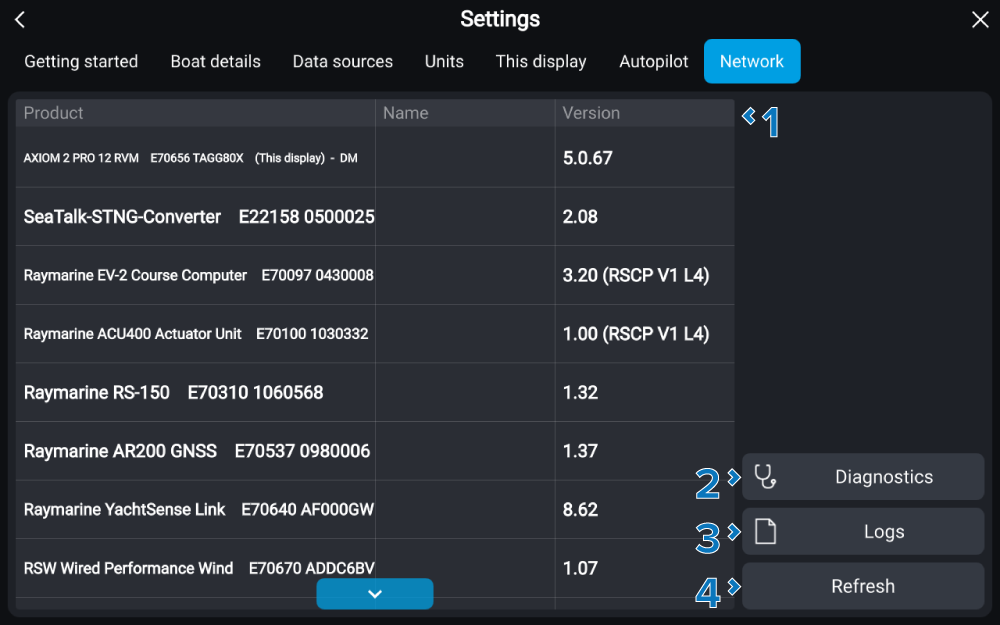
The Network settings menu provides network related information and settings for products connected to the same Ethernet (RayNet) network and SeaTalk NG/NMEA 2000 network as the chartplotter. The Network settings menu also provides access to diagnostic, troubleshooting and configuration settings.
SettingsNetworkThe Network settings menu can be accessed from the Settings menu: .
The following settings and information is available on the Network settings menu:
Setting |
|
|---|---|
1 |
Network product list Selecting a product in the list will open the Pop-over menu. For more information refer to: Product pop-over menu options |
2 |
Diagnostics Select to access Diagnostic options. For more information refer to: Diagnostics options |
3 |
Logs Provides options to save, or reset logs. For more information refer to: Saving crash and system logs |
6 |
Refresh Select to refresh the network list. |