Duplicating data pages
New pages can be created from existing pages by duplicating them and then customizing as required.
Data appDuplicating pagesFrom any data page:
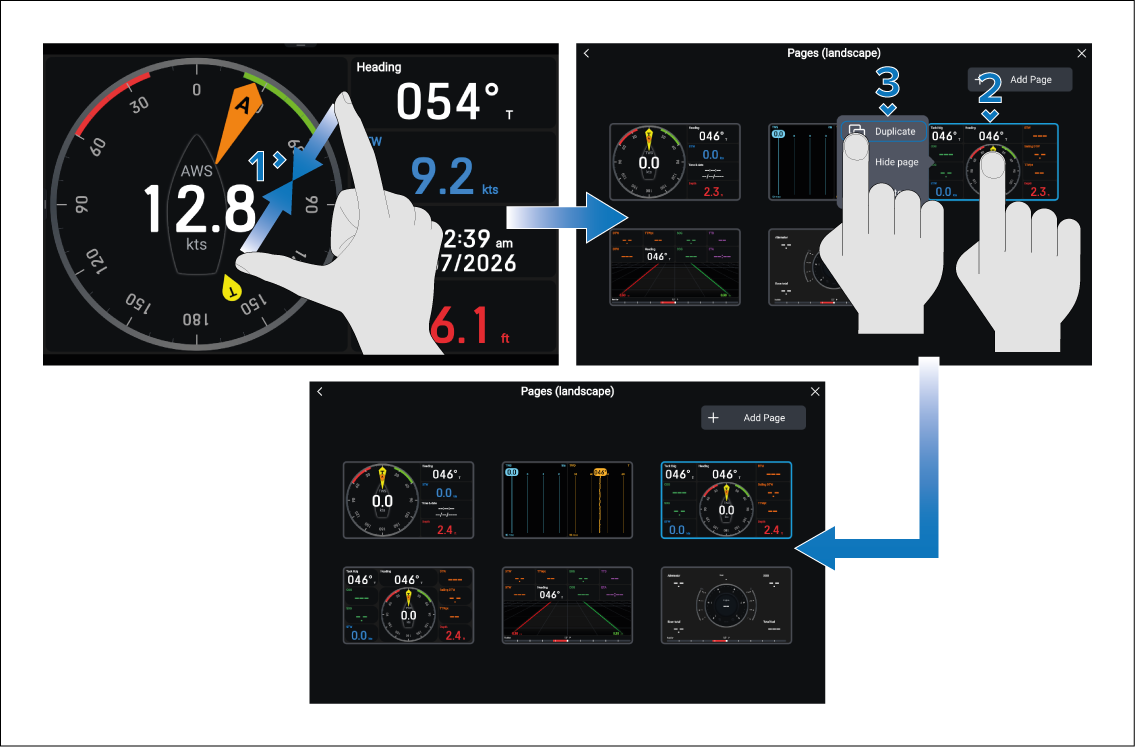
The duplicated page will be displayed in the Pages menu and will be available when scrolling through pages in the current instance of the data app. The page will also be included in any new data app pages that are created.
You can now customize the duplicated page as required without impacting the original data page.