Deleting a data page (from the pages menu)
Data pages can be deleted from the Pages menu.
Data appDeleting pagesFrom any data page:
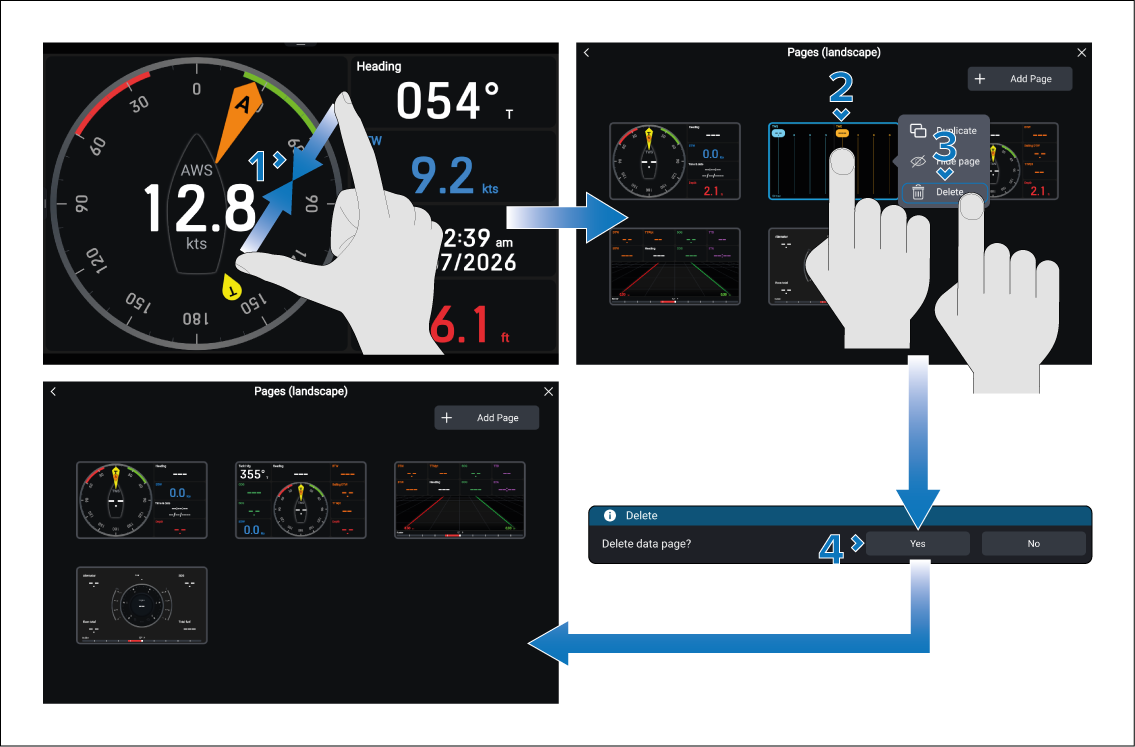
The page is now deleted and will no longer appear in the current instance of the data app. The page will also not be available when new data app pages are created.
Note
Deleted default pages can be restored by performing a Settings reset, or a Factory reset.
New data pages and modified default data pages can only be restored from a settings backup.
If all data pages are deleted a blank page with an Add a page button will be shown.