Creating a navigation page
The Data app includes some navigation pages by default. Additional navigation pages can be added using the available presets.
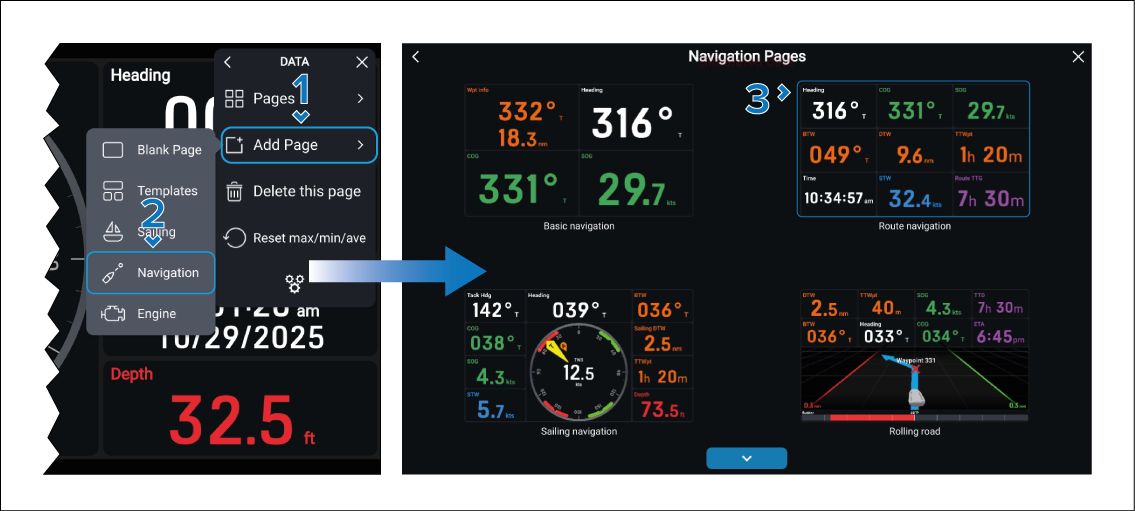
Once added, the standard data items can be edited like any other data items.
Data items that appear within sailing gauges, compass gauges and rolling road graphics cannot be changed.