Creating a motor page

By default, the chartplotter includes a motor page configured for the number of motors specified during the initial start up wizard. Additional motor pages can be added if desired.

Data appMotor pageFollow the steps below to add an additional motor page.
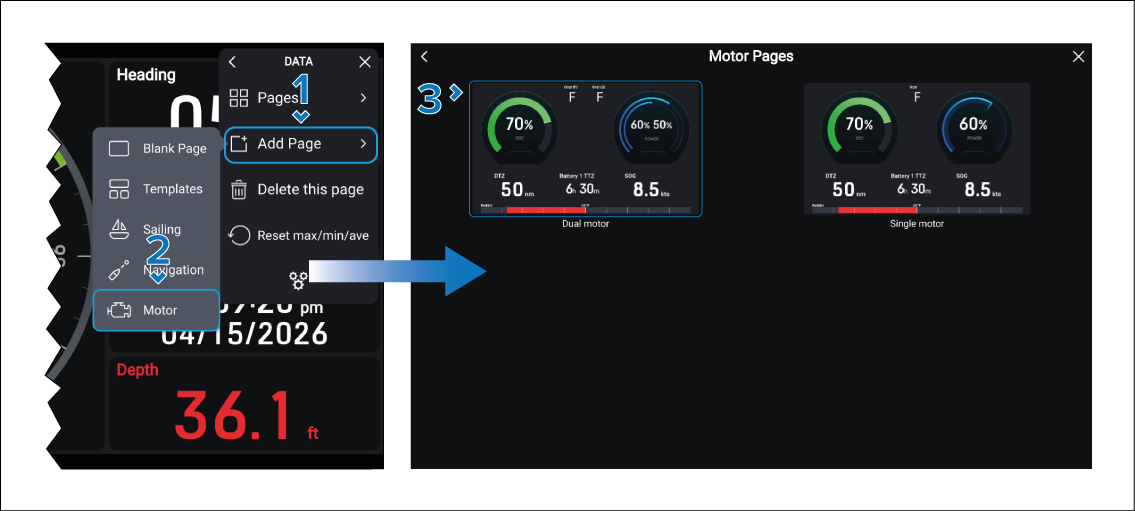
  1. Select the Add Page option from either the main menu, or the Pages menu.
  2. Select the Motor option.

    If you only have 1 motor configured the motor page will be displayed. If you have 2 motors configured continue to the next step.

  3. Select the number of motors that you want to be displayed on your page.

Your new motor page will be displayed.