Browsing data items
You can browse data categories to find a data item from the Select data menu.
Display dataBrowse data itemsThe Select data menu is displayed when you have selected Edit, Edit data, or Data item from the relevant data item pop-over menu in the Data, app, Dashboard app, sidebar, or data overlay.
With the Select data menu displayed:
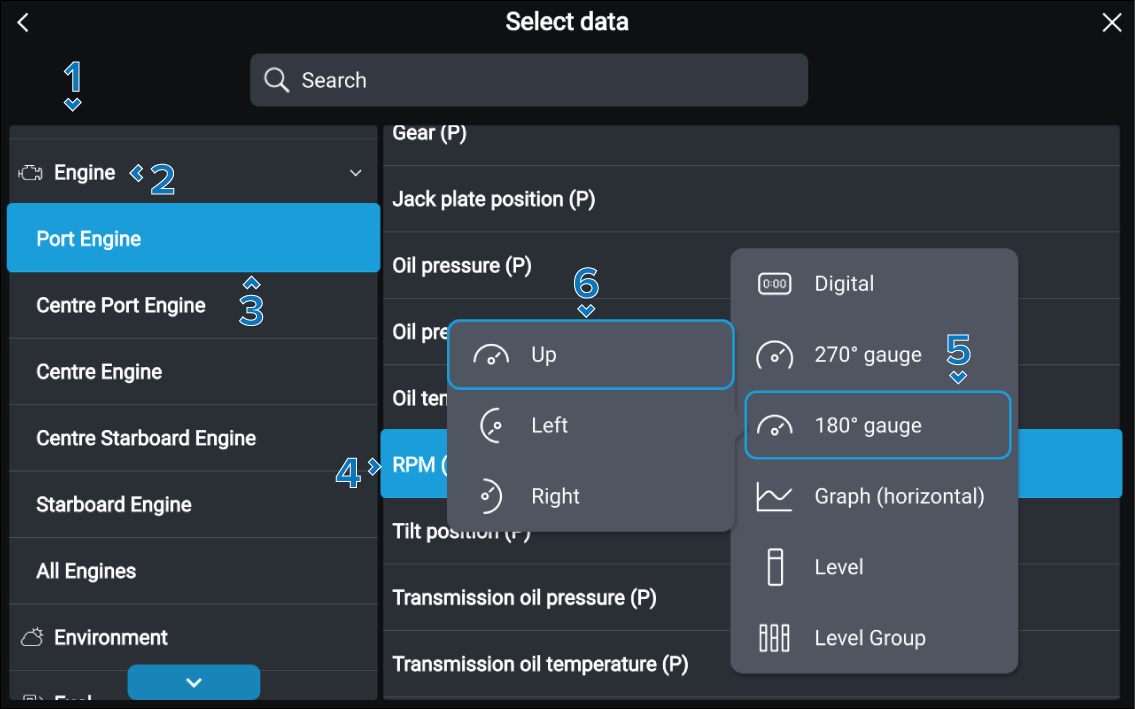
- Browse the data categories locate don the left side of the menu.
- Select the relevant data category.
- Select the data source, if applicable.
- Select the data item.
- Select the widget type, if applicable.
- Select the widget orientation, if applicable.
The data item will be displayed in the selected data cell.