Waypoint arrival and route complete
In Steer to Navigation mode, when you reach a target waypoint a notification is displayed.
Steer to NavigationWaypoint arrivalRoute completeWaypoint arrivalRoute completeYou are deemed to have arrived at a waypoint when your vessel reaches the distance from the waypoint as specified in your chartplotter’s Arrival radius (pilot in track mode) setting.
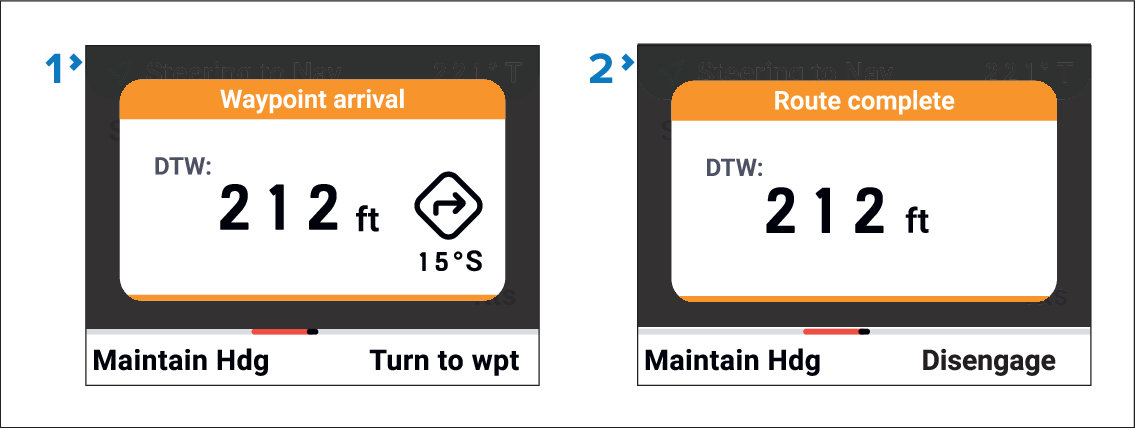
Waypoint arrival notification — When arriving at an interim waypoint in a route the Waypoint arrival notification is displayed. The Waypoint arrival notification will include the remaining Distance To the Waypoint (DTW) and the turn angle required for the next waypoint. The options available to you are:
Maintain heading — Select the Maintain Hdg (Left soft) button to switch to Steer to Heading mode.
Turn to the waypoint — Select the Turn to wpt (Right soft) button to turn towards the next waypoint in the route.
Disengage the autopilot — Press the STBY button to resume manual steering.
Route complete notification — When arriving at a target GoTo waypoint, or to the final waypoint in a route the Route complete notification is displayed. The Route complete notification will include the remaining Distance To the Waypoint (DTW). The options available to you are:
Maintain heading — Select the Maintain Hdg (Left soft) button to switch to Steer to Heading mode.
Disengage the autopilot — Press the Disengage (Right soft) button to resume manual steering.