Performing a Point and Go
Procedure for using the Point and Go feature.
For the best accuracy, calibrate and operate the Point and Go feature in an area free of sources that could cause interference with the remote’s internal compass.
Possible sources of interference can include: personal computers, smart devices such as cellular phones and tablets, motors, generators, VHF radios, audio speakers, power cables, metallic structures, etc.
If you find that the Point and Go is off target, check that you are away from sources of interference and retry. Re-calibrate if necessary. For calibration instructions refer to: Calibrating the internal sensors
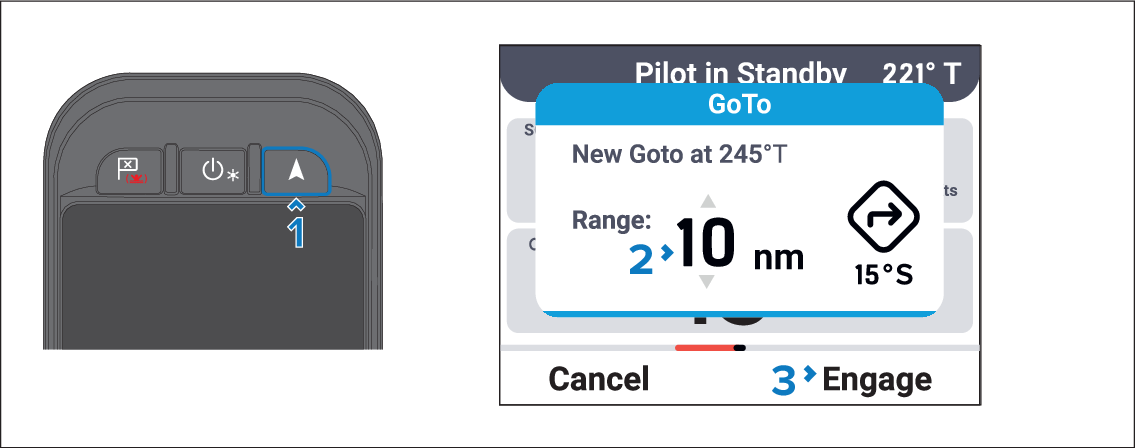
Point and GoHolding the remote horizontally, pointing in the direction in which you wish to travel:
- Ensure that you are in an area free of sources of interference.
- Press the Point and Go button.
- Use the Up and Down buttons to adjust the range for the Point and Go.
- Press the Engage (Right soft) button.
Active navigation will commence on the chartplotter and the autopilot will engage in Steer to Navigation mode.