Calibrating the internal sensors
The remote includes an internal magnetometer, which may require calibration from time to time.
Important
Before performing the calibration, ensure that you are in an area free of sources that could cause interference with the remote’s internal compass.
Possible sources of interference can include: personal computers, smart devices such as cellular phones and tablets, motors, generators, VHF radios, audio speakers, power cables, metallic structures, etc.
CalibrationTo perform magnetometer calibration:
- Ensure that you are in an area free of sources of interference.
- Select Settings from the main menu.
- Select Calibrate compass.
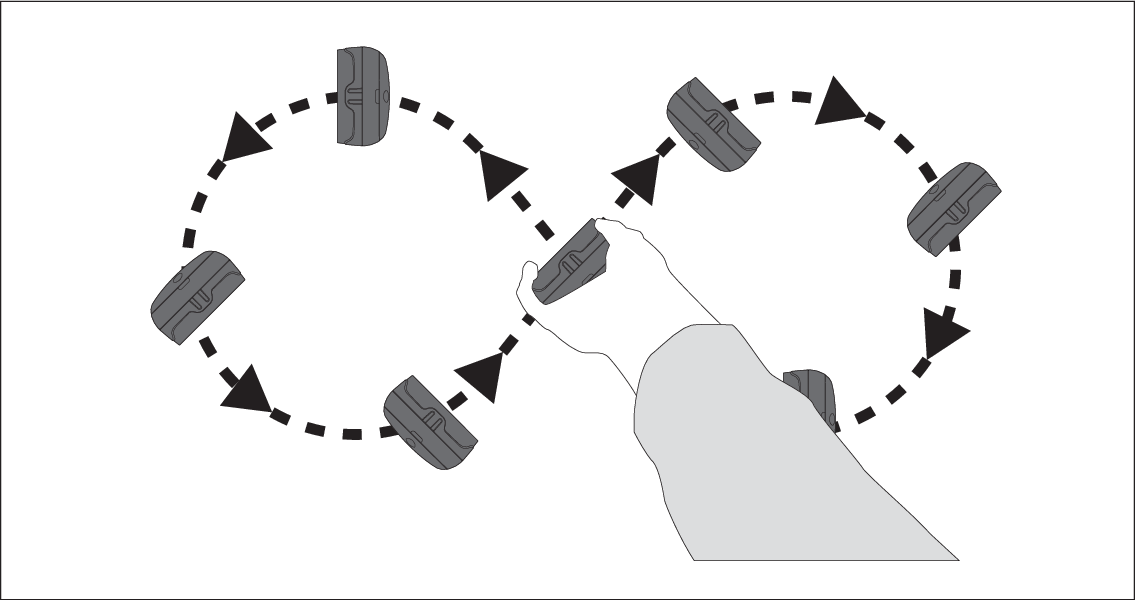
- To calibrate the sensor, slowly move the remote in a continuous figure-of-eight motion while rotating it to maintain alignment with the direction of travel.