Sailing page presets
Page presets are pages pre-configured with a group of widgets displaying useful information and performance data specific to a particular activity. The Sailing page presets are populated with widgets that combine to provide assistance when sailing.
In order for the Sailing page preset option to appear, your boat activity must first be set to either General or Sailing, using your connected MFD’s initial startup wizard.
Page managementPage creationPage presetsSailingPage presetsSailing
The following Sailing page presets are available:
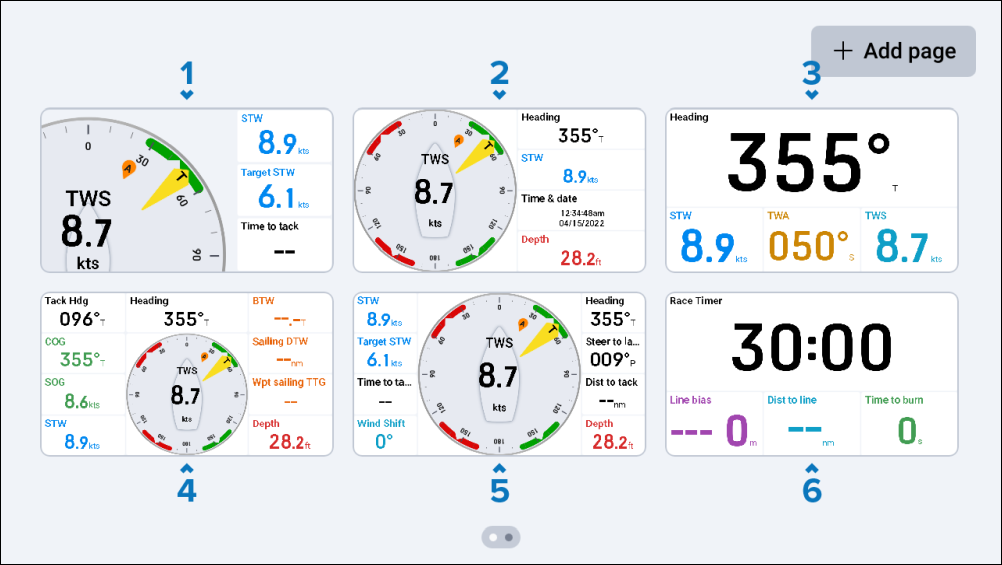
Zoomed wind gauge (landscape only) — Includes 3 sailing related widgets and a Dynamic zoomed gauge variant of the Wind performance gauge widget, which moves automatically, focusing on the current wind angle in one of five positions (upwind port, upwind starboard, reaching port, reaching starboard, and downwind). You can tap-hold on the Dynamic zoomed gauge variant to change it between Apparent Wind and True Wind. The Dynamic zoomed gauge variant widget cannot be edited or deleted. This preset page is only available when your performance display’s Display orientation is set to Landscape.
Wind gauge plus data — Includes 4 sailing related widgets and an enlarged Standard gauge variant of the Wind performance gauge widget.
Heading plus data — Includes 3 sailing related widgets and an enlarged Heading digits widget.
Sailing navigation — Includes 9 sailing related widgets and a centered Standard gauge variant of the Wind performance gauge widget.
Performance sailing — Includes 8 sailing related widgets and a center-enlarged Standard gauge variant of the Wind performance gauge widget.
Race pre-start — Includes 3 sailing race start-line related widgets and an enlarged Race timer digits widget.
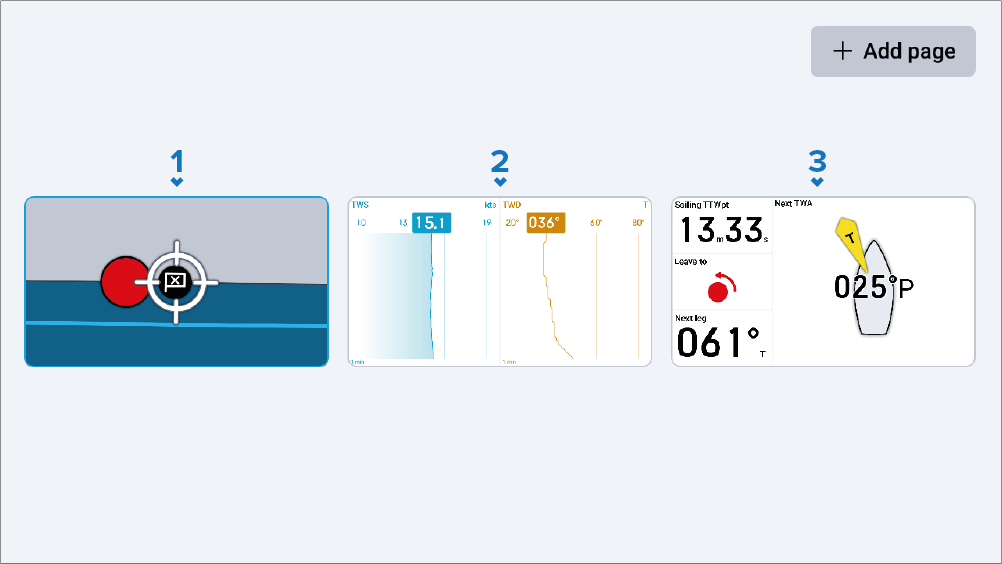
SailPoint steering guidance — Includes 4 sailing related widgets (Display orientation (portrait) only) and a center-enlarged SailPoint widget.
True wind graph — Includes an enlarged view of the TWS (True Wind Speed) graph widget and the TWD (True Wind Direction) graph widget (Display orientation (portrait) only).
Next leg information — Includes 3 waypoint and route sailing related widgets and an enlarged Next TWA widget.
For more information on the different widget types, refer to the following section: Widget types overview