Template page presets
The Template page presets are populated with template cells which you can populate with data widgets. This enables you to quickly create a customized data page without having to manually resize and align each of your widgets.
The following Template preset pages are available:
Page managementPage creationPage presetsTemplatePage presetsTemplate
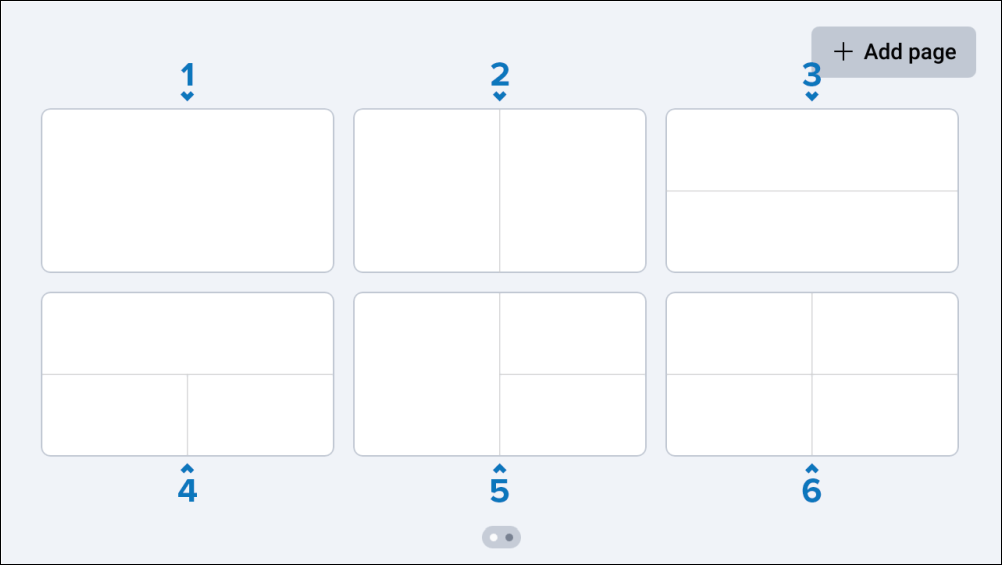
Fullscreen.
Vertical split.
Horizontal split.
Horizontal and double-split.
Vertical and double-split.
Quad-split.
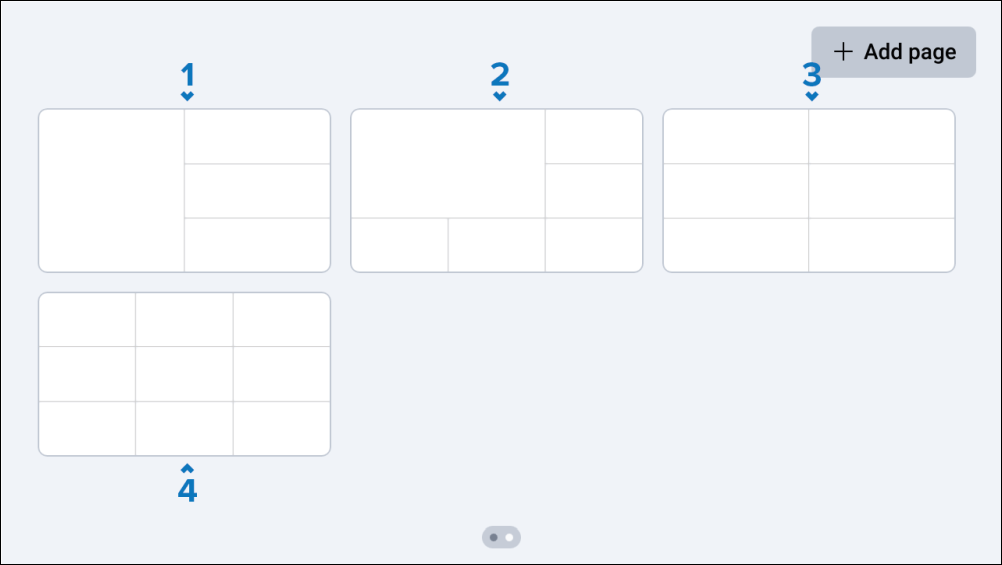
Vertical and tri-split.
Corner-split.
2 x 3 split.
3 x 3 split.
Once a Template page preset has been created, you can tap an individual cell to display additional Add data and Delete cell options.
If a widget cannot fit within the defined space that you have chosen, a Can not add widget pop-up will appear.