Graphic view
The Graphic view displays a partial compass.
Pilot views GraphicGraphic view
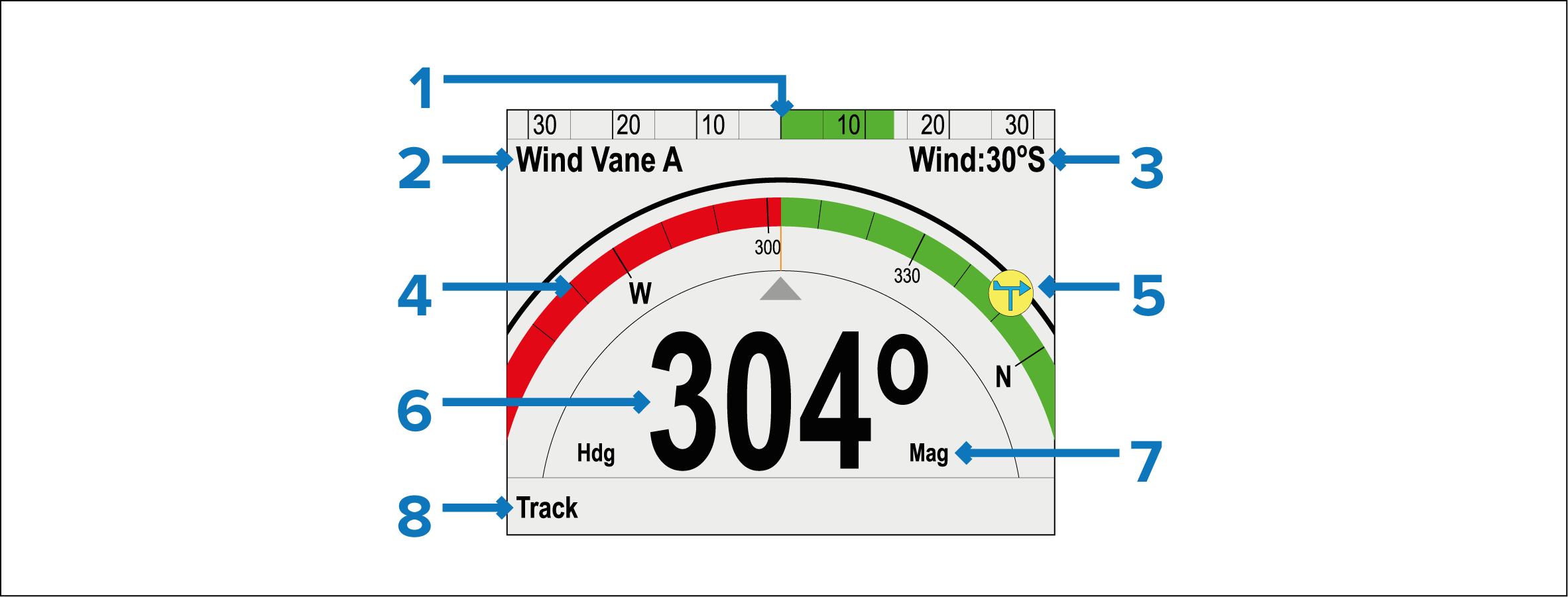
Rudder position
Pilot Mode
Mode status:
Locked wind angle — Wind Vane mode.
Pattern symbol — Pattern mode.
Power Steer symbol — Power Steer mode.
Partial compass
Wind direction indicator
Heading:
- Current heading — Standby and Power Steer mode.
- Locked heading — Auto , Wind Vane mode and Pattern mode.
Heading type:
Magnetic
True
NoteThe heading type is determined by the language selected during the Set-up Wizard.
Shortcut button (Left Soft button)
Track
Pattern
Wind Vane
Rolling roadPilot views Rolling roadRolling road view
Initiating Track when the pilot view is set to Graphic view will display the Rolling road view.
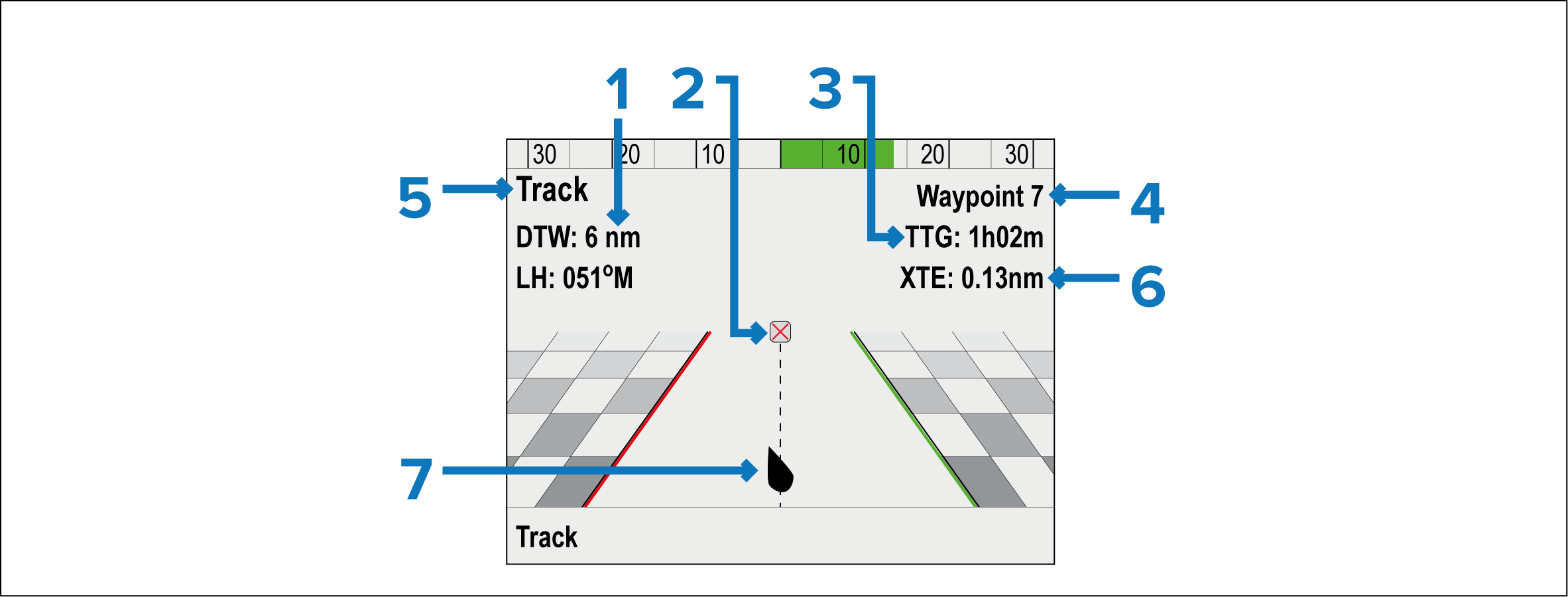
DTW (Distance To Waypoint)
Destination waypoint
TTG (Time To Go)
Destination waypoint name
Locked Heading
XTE (Cross Track Error)
Vessel position